


New Feature: Pre-Authorization settings in Elements Security Center
WithSecure MDR customers can now view and manage pre-authorization for manual response actions directly in Elements Security Center. Previously, WithSecure managed these settings based on the agreement with each customer. Pre-authorization can now be configured at two levels: as an organization-wide default and separately for individual devices, identities, or groups of them.
Customers benefit from faster response during incidents and more precise control over sensitive assets. For example, they can apply stricter settings to servers that contain sensitive data while using different settings for regular laptops.
How to get started
Start in Elements Security Center by reviewing the default settings your organization. You can then manage settings for Devices and Identities in corresponding pages.
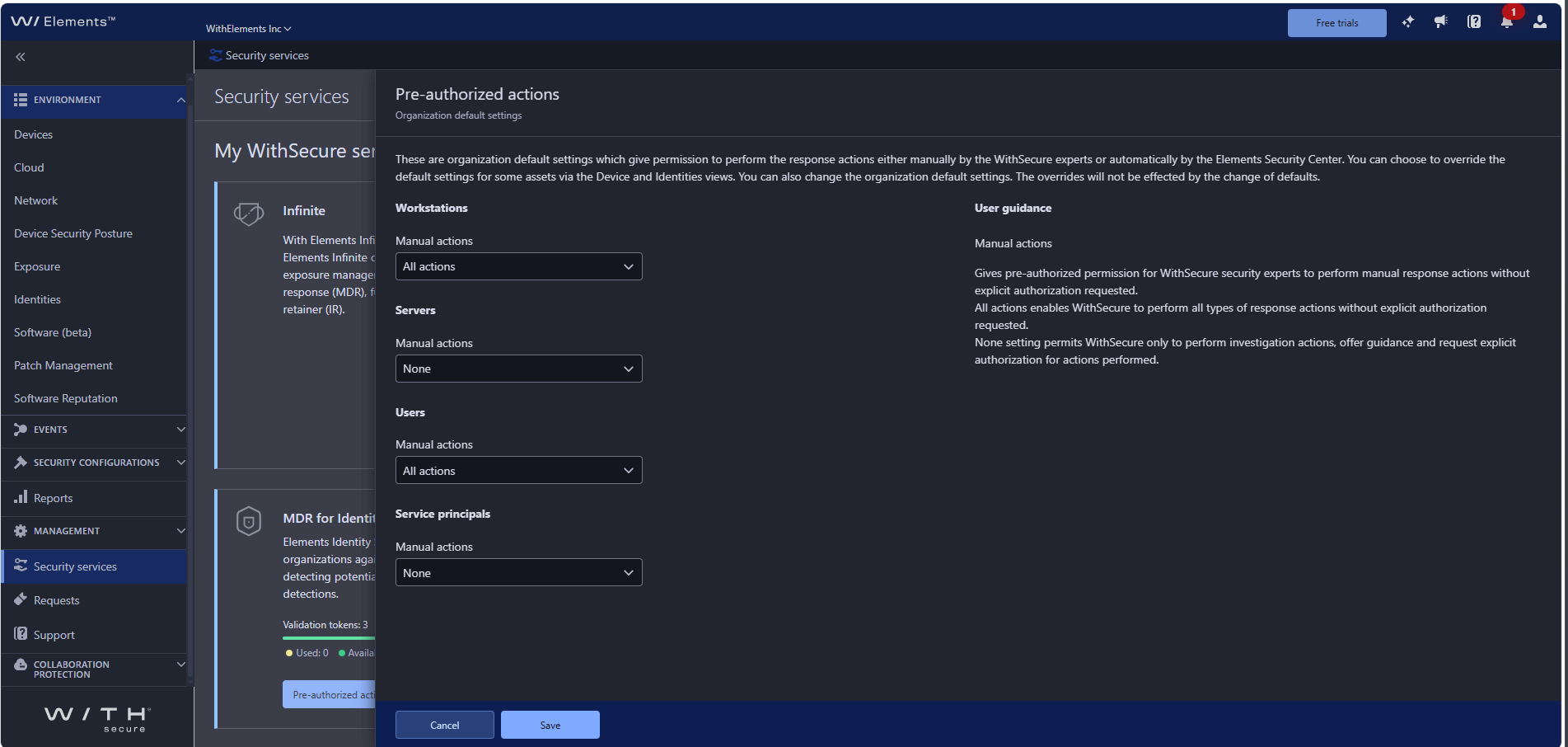
Organization-level defaults in Security services
Under Management → Security services, the service tiles („MDR for Endpoints“ and „MDR for Identities“) have the Pre-authorized actions setting. Here you set the organization-level default authorization separately for Workstations, Servers, Users, and Service principals.
Per-device control in Devices
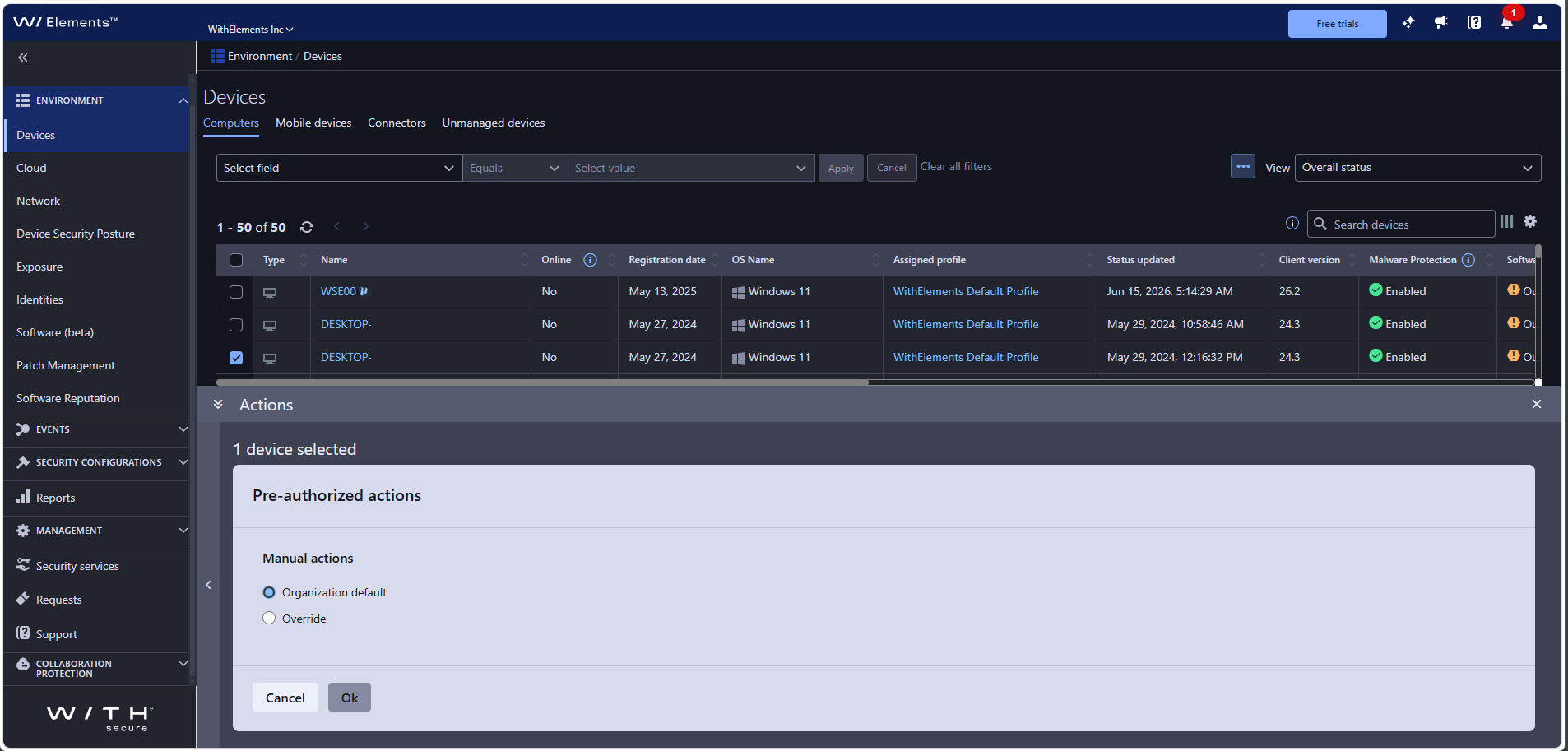
In Environment → Devices, select one or more devices and open Pre-authorized actions from the Actions panel to keep the organization default or override it for the selected device(s).
Per-identity control in Identities
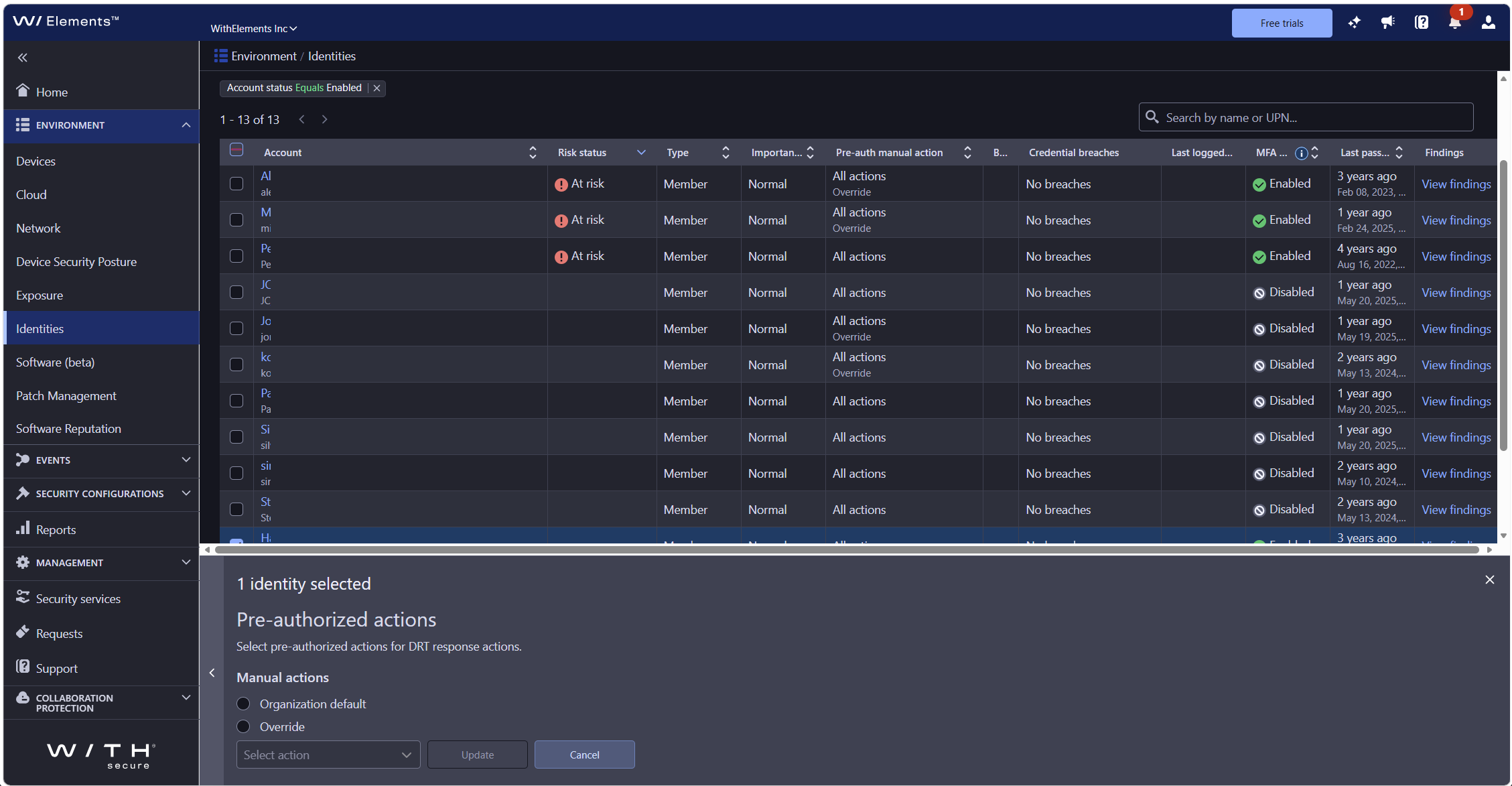
In Environment → Identities, select one or more devices and open Pre-authorized actions from the Actions panel to keep the organization default or override it for the selected identity(ies).
If you do nothing
Any pre-authorization already agreed with us remains in place. For identities, the initial setting is no pre-authorization. If an action is not pre-authorized, our analysts will contact you for approval before acting, just as they do today.