


Elements Security Center Common Features - 2026-11-13 - Update
Software data in My report
You can now create custom report widgets using Software as data source.
- This includes four vertical bar widgets/graphs:
- Software by Vendor: View the distribution of software across different vendors.
- Software by Category: See software grouped by functional categories (e.g., Security, Productivity).
- Software Versions by Status: Monitor the review status of software versions (e.g., Approved, Disallowed, Not reviewed).
- Top Software Versions by Vulnerabilities: Identify the software versions with the highest number of CVEs.
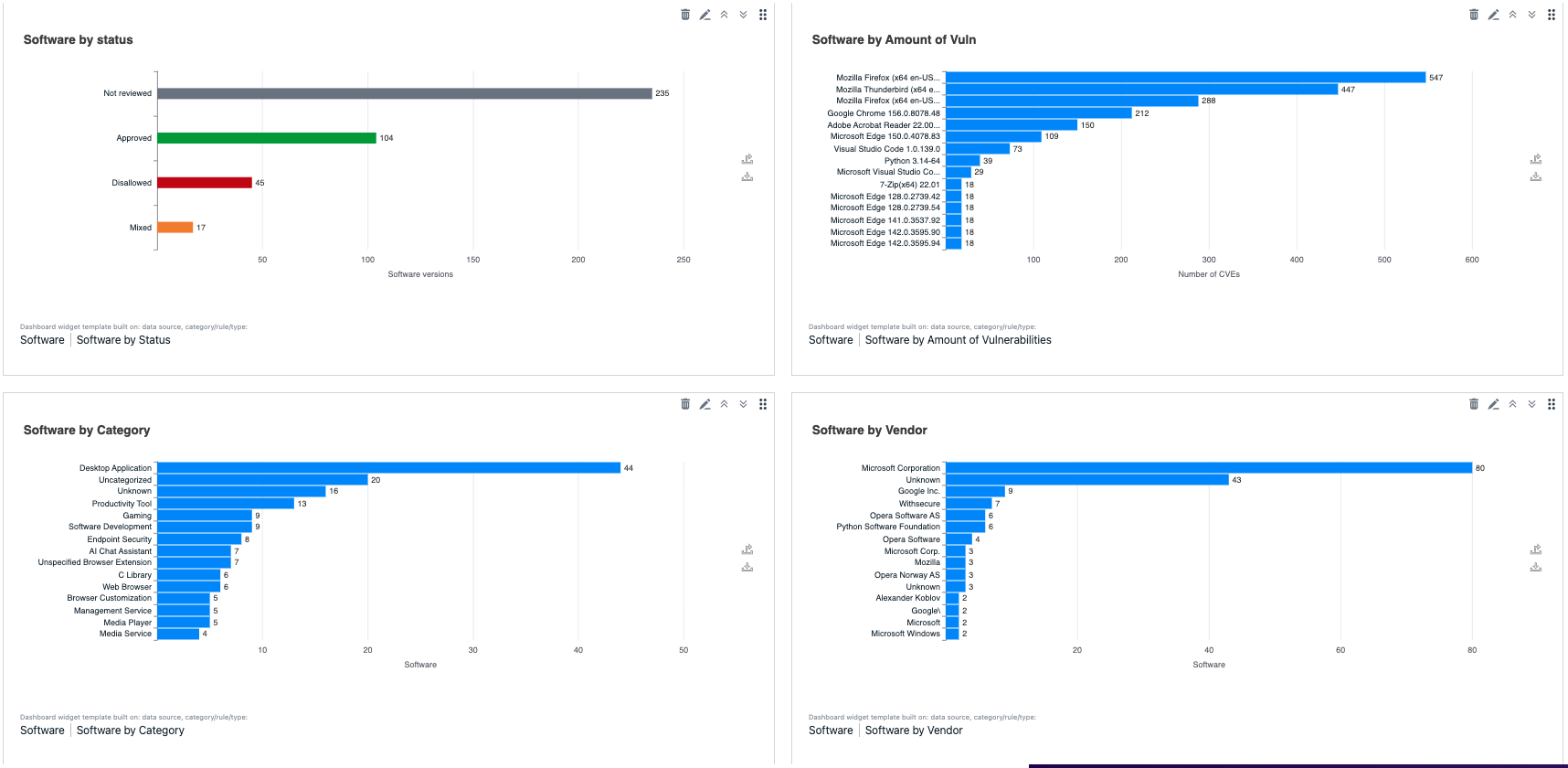
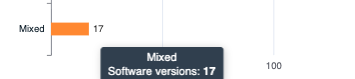
- Interactive Bar Charts: All new software widgets are rendered as horizontal bar charts. Clicking on a bar now deep-links you directly to the Software Inventory list, automatically filtered to match the data represented by that bar.
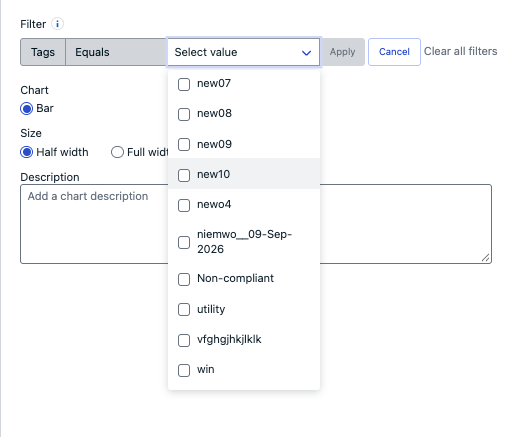
- Advanced Filtering with Labels: When configuring a Software widget, you can now filter the data by Tags. The widget editor includes a multi-select picker that supports up to 50 labels.
- PDF & Email Support: Software widgets are fully supported in scheduled email reports PDFs, csv and svg exports.
- Role-Based Access: Access to Software widgets is governed by the sis:read permission and proper subscription. Users without this permissions will see a "No access" notification for these widgets.
- Dark Mode Support: All new charts and tooltips are fully optimized for both light and dark UI themes.