


What’s New in Elements: May 2022
Elements Endpoint Protection
Elements EPP portal updates
An update containing performance improvements to Software Update views has been rolled out to all environments. Viewing and manipulating even bigger data sets of installation records or missing updates is now much faster overall.
At the same time the reliability of listing missing updates has been improved.
Send messages to Windows EPP clients
Administrators can now send messages from portal to Windows EPP clients. Note: the feature requires Elements EPP Windows agent version 22.3+ to display the message.
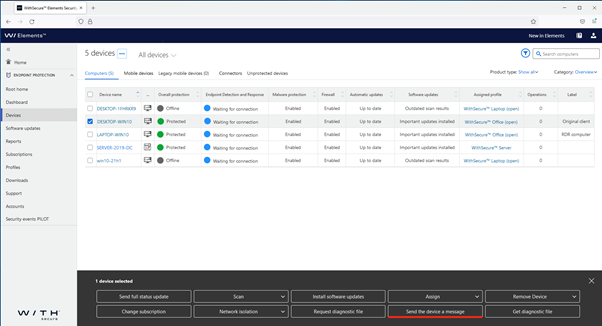
To send a message to a device, or multiple devices, first select them in the Devices view, and click on “Send the device a message”
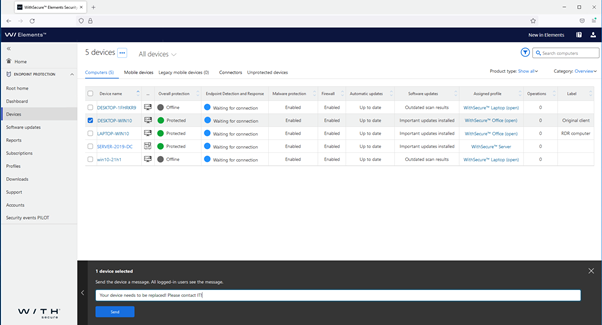
At the bottom of the window, type the message you want to send to the device(s)
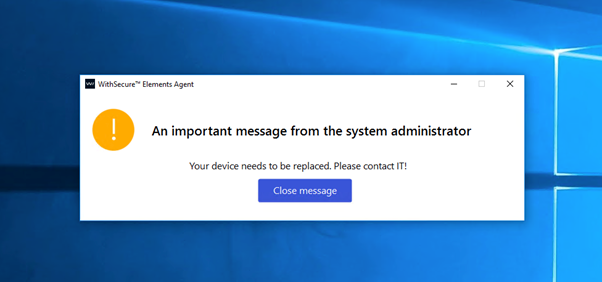
After “Send” is clicked, the message will be sent to the selected Elements Windows agents, and displayed on-screen
New Computers view available under Devices (Pilot)
We have been doing a lot of work in the background, creating a modern, efficient way of displaying information about devices. This new view, although not yet complete, has now been made available for customers who want to try it as an alternative to the long-standing Devices view.
This new view will allow customers to create views based on data they select and save those for later, and also use them for reports.
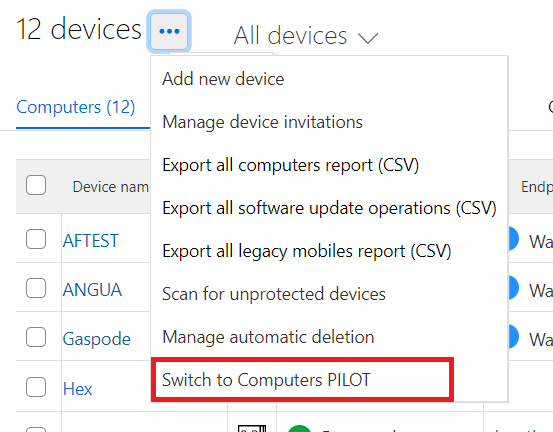
Administrators wishing to take the new view into use can select it by navigating to the Device view, and selecting “Switch to Computers PILOT”
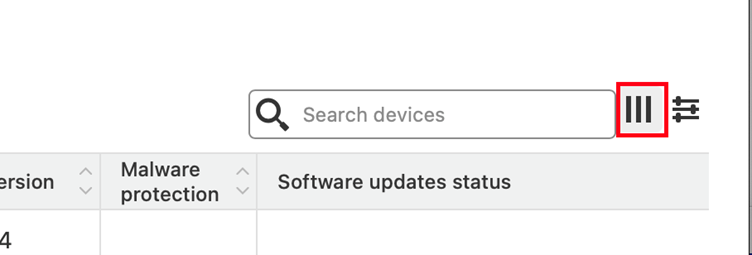
To start the configuration of a filter, select the three-bar icon next to the Search box
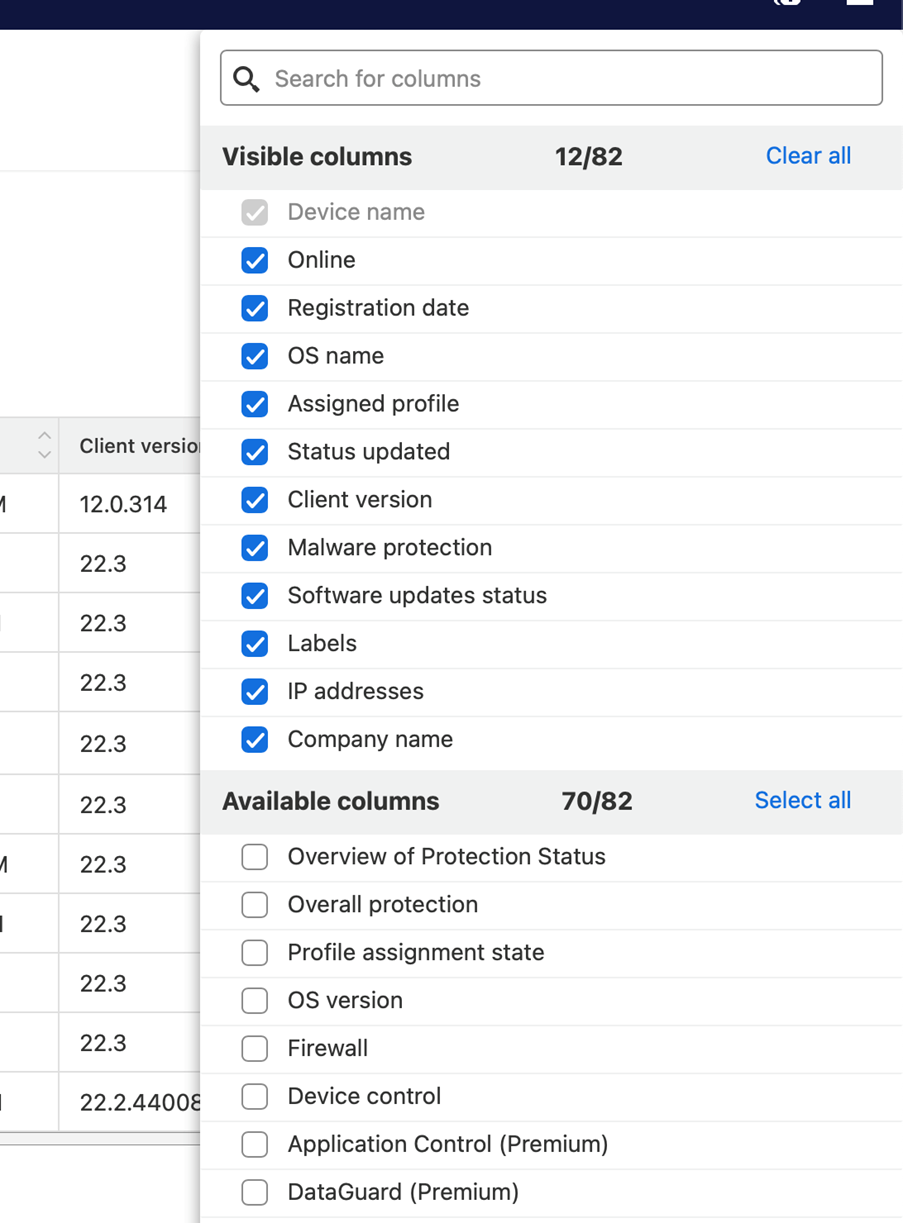
It is possible to select which fields you are interested in with the dialog that opens
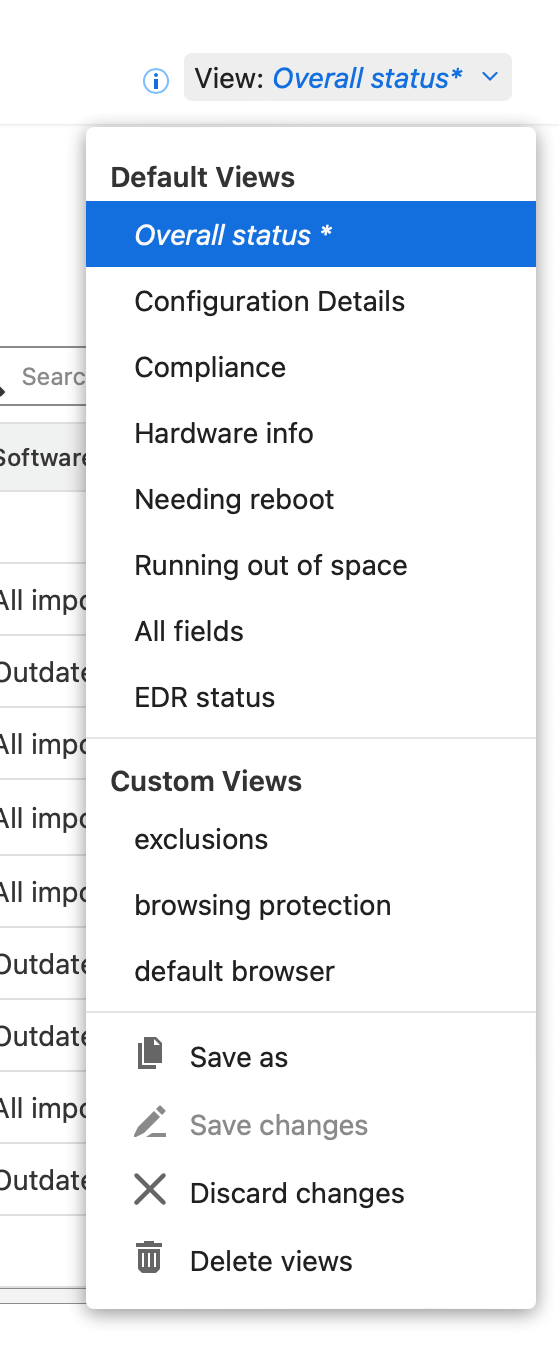
And once you have a filter/view created, you can save it for future use:
Computer Protection and RDR for Mac build 44008
Computer Protection and RDR for Mac build 44008 is now available for downloading in all environments.
The major change for this release is that On-demand scan is now starting properly on Apple Silicon Macs.
Coming Soon: WithSecure™ branded Elements client for Mac
Our development team has been working hard to produce the WithSecure™ branded version of the Elements Client for Mac. At this time, we are not entirely sure when it will be available for our customers, but we wanted to make sure you are aware of the upcoming release.
We will update this article if it is released before the next newsletter.
Elements Endpoint Detection and Response
New Broad Context Detection list view
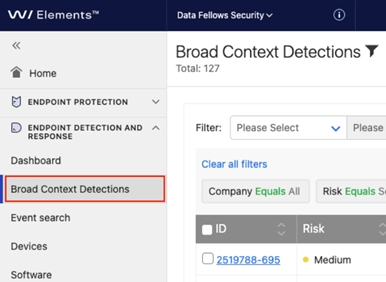
The « Detections » navigation item has been changed to « Broad Context Detections » to match name of the page with content.
New filtering options for Broad Context Detections (BCD)
BCDs can be filtered freely using various conditions
- Company
- Risk level
- BCD type
- Device ID
- Detection time
- Modification time
- BCD status (new, acknowledged, in progress, monitoring, closed)
- Resolution for closed incidents (confirmed, unconfirmed, false positive, auto false positive)
- Archived
- Elevation state
-
Pinned state
- Data contentFinds matches from following fields of BCD
- Organization id
- Created
- Modified
- Type
- Risk level
- Risk value
- And from following field related to detections inside BCDDetection name
- Detection description
- Detection analysis
- Executable name
- Executable path
- Parent process executable name
- Device IP
- Device name
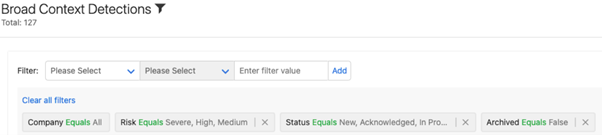
Customization of views
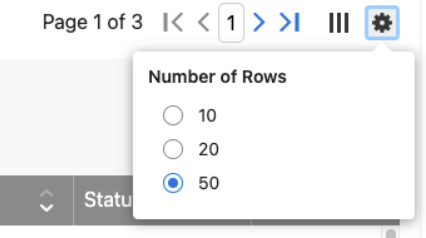
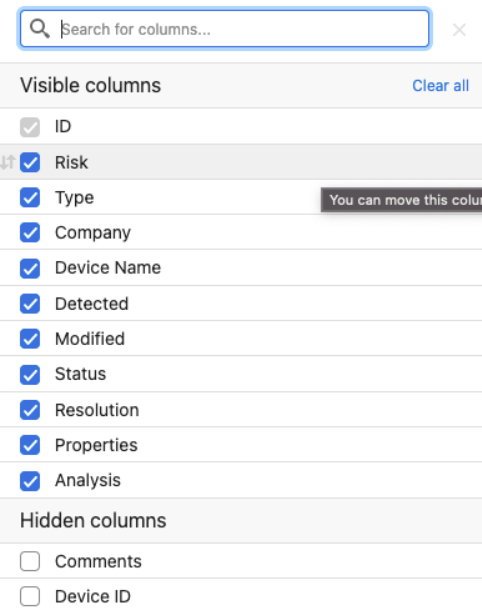
- Shown columns can be customized (columns show, order of columns, number of rows per page)
- Page changes moved to header so that its always visible
- Rows per page can be selected
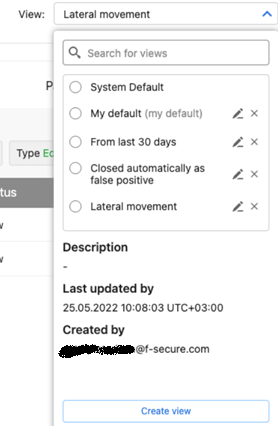
Save your customizations as custom views
Once you have built view as you prefer (filters, row number, column order and visibility) you can save those as a view.
You can select your own default view that will be applied when you enter Broad Context Detections list page.
Elements Collaboration Protection
Elements Collaboration Protection new features and improvements
- An email address is now required for notifications
- Improvements to the portal user interface
- Unavailable mailboxes are now removed after a 14-day retention period
Elements Vulnerability Management
With the latest Vulnerability Management updates, the default state for vulnerabilities on the system scan and asset details view has been switched to « New and current findings ». Moreover, the « All findings » state now displays also mitigated findings.
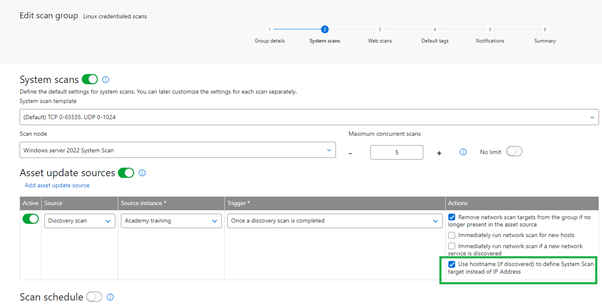
A new configurability option has been added to the asset source update mechanism for scan groups. It is now possible to choose whether the system should use hostname or IP address, to define the System Scan target.
Scan Node now includes support for Debian 10-11 and Ubuntu 18.04 – 22.04
As more customers have been updating to newer versions of their Linux operating systems, we’ve now added support for more variants of Debian and Ubuntu on which Elements Vulnerability Management Scan Node can be installed.
Asset Risk Score has now entered the Pilot phase
We have added a Risk Score for assets to the Vulnerability Management. This will enable security specialists to see at a glance the real risk that associated to an asset. The score is calculated from a combination of several internal values, and will help the specialist prioritize items that need to be acted on. Along with Asset Risk Score, the solution includes ability to specify asset importance, a new attribute which plays significant role in the risk evaluation.
Usability improvements for the Device Discovery report
To make the Device Discovery report more usable, we’ve added pagination to it, and at the same time removed the limit on the number of items displayed. In addition, new filter options allow the user to quickly list devices on which vulnerability management capabilities have not been enabled so far.
Other items of interest
WithSecure™ Threat Highlights Reports
April 2022 highlights
- CNI targeted with ICS malware
- FA Fatigue: A new attack technique
- The disruption of ZLoader
-
A breakdown of ContiLeaks
- Ransomware: Trends and notable reportsA look at Blackcat/ALPHV
- Russia in the crosshairs
- Quantum: a 4-hour attack
- LockBit strike Rio de Janeiro finance department
- BlackByte breakdown
- Nokoyawa, a Nempty strain
May 2022 highlights
- Advisory on initial access techniques
- Emotet back at full power
-
BPFDoor, an insidious backdoor
- Ransomware: Trends and notable reports:Is this the end of Conti?
- Iran is carrying out ransomware attacks
- Operator of Thanos builder charged
- The return of REvil?
You can access the full monthly Threat Highlight Reports by following this link.
Integrations
Provisioning API updates
With the launch of WithSecure, we have created a new url to reflect our new brand
Partners using the Provisioning API should update the following url at first opportunity.
Production:
New url: https://commercial.connect.withsecure.comDeprecated url: https//boop.f-secure.com
Staging:
New url: https://commercial-test.connect.withsecure.comDeprecated url: https://boop-test.f-secure.com
The existing access whitelist entries will still apply.
The deprecated URLs will not be supported after 06.11.2022
Get subscription
This new API call allows to get all the details of a subscription by querying with the key as described in
This new API call allows to get all the details of a subscription by querying with the key as described in
Register a Service Partner (SEP)
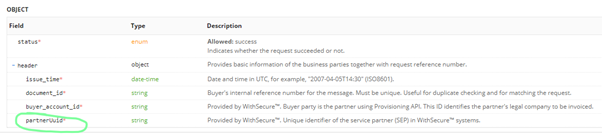
This API endpoint now returns partnerUUID in the response. You may refer to API Reference in
The Provisioning API provides a set of endpoints for WithSecure™ partners to automatically provision subscriptions, usage-based security subscription bundles and related service partners. Reports API allows usage-based security billing together with the Provisioning API. It allows WithSecure™ partners to query the actual usage of active subscriptions. The Provisioning API is only available for partners. If you need access to it, contact your account manager.
Endpoint Protection API
Poll for security events:
This new API endpoint is specifically meant for polling for changes in Security Events. By providing boundaries using server_timestamp query parameters clients have full control over the data set they are interested in. Moreover the data is sorted in the ascending order by the timestamp parameter allowing for easy replay of historical data also simplifying the polling for new events use cases.
Additional JavaScript code snippet is also attached to illustrate the advised approach to reading historical data and polling for the new events.
Further information
Changelogs and Release Notes for all parts of WithSecure™ Elements can be found at the Help Center