


What’s New in Elements: July 2024
Editor’s Highlights
Starting from this edition of What’s New, we will be taking into use some new product naming conventions, to align with our global website.
Extended Detection and Response (XDR), which includes
- Endpoint Security, containing
- Endpoint Protection (EPP)
- Endpoint Detection and Response (EDR)
- Email and Collaboration Protection (CP)
- Identity Security (IS)
Exposure Management (XM), which includes
- Vulnerability Management (VM)
- Cloud Security Posture Management (CSPM)
Co-Security Services, which includes
- Managed Detection and Response (MDR)
- Co-Monitoring Service
- Incident Response
Elements Foundation (FND), which includes
- API Integrations
- Any portal functionality that is not covered by a specific Product category above
Extended Detection and Response
Endpoint Detection and Response
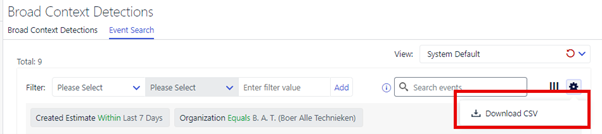
EDR: EventSearch CSV export improved
We have recently improved the EventSearch CSV export to increase the limit of events that can be exported from 500 to 5000, with the aim of providing Elements users easy access to review and analyze EDR telemetry in a flexible way.
EDR: Introducing Advanced Response actions for Linux
We have now released a new set of ‘Advanced Response’ actions for Linux. This means you are now ableto retrieve files, retrieve network connections, and kill processes on Linux endpoints. In the next quarter, we are expanding this coverage to Linux SE devices as well as Mac endpoints.
For the full list of response actions, please check the
.
The Linux response actions can also be triggered from the Elements API, see the API documentation at
Email and Collaboration Protection
We have now added a retry bypassing lock, when a SharePoint/Teams/OneDrive file fails to be moved due to locked state.
Identity Security
Security Event visibility
Administrators can now see the security events related to Identity BCDs and their details
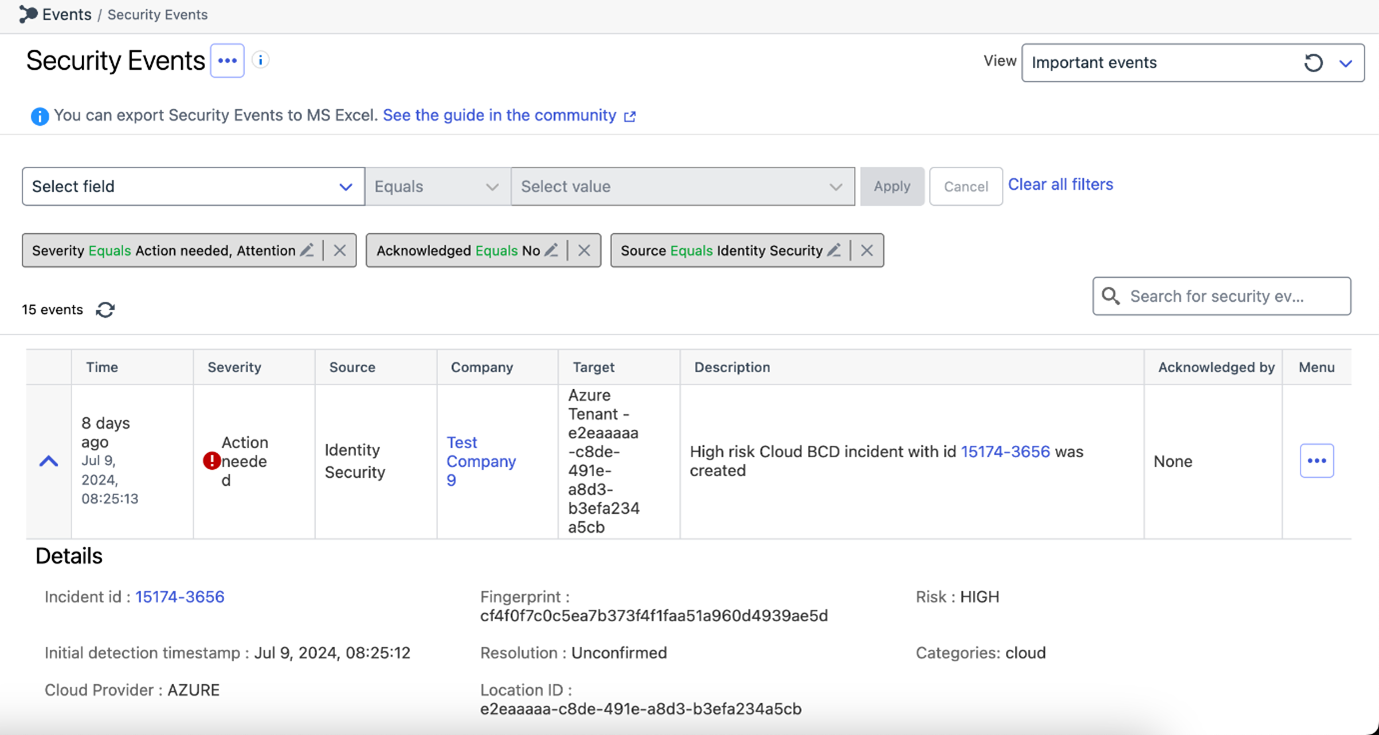
You can also create email notifications for these events, by creating a view that filters events based in the Source as ‘Identity Security’. Once you configure an email report based on this view, you can receive email notifications on continuous frequency for the Identity events
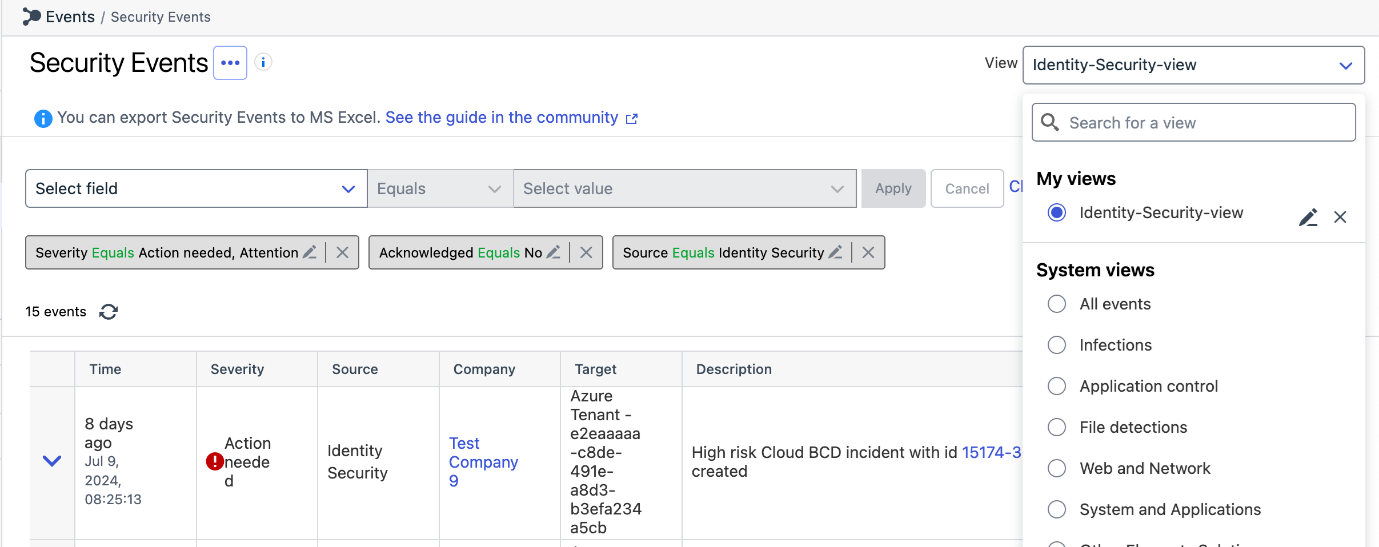
The admin can perform similar actions on these events as they do for other events like ‘Acknowledge’, ‘Show all target events’, ‘Show all similar events’
Exposure Management
Vulnerability Management
EVM: Windows Scan Node Agent
We have now released a new version of the Windows Scan Node Agent
This version correctly recognizes newer versions of the Microsoft C++ Redistributable.
EVM: System Scan
We have added detections for checking vulnerabilities in the following products to authenticated scanning for Windows
- Citrix uberAgent
- ProtonVPN
- Mozilla Thunderbird (also in endpoint agent scans)
- Citrix Provisioning
- Citrix Workspace app
- Dell Alienware Command Center
- Siemens Automation License Manager
- ONLYOFFICE DocumentServer
EVM: Portal
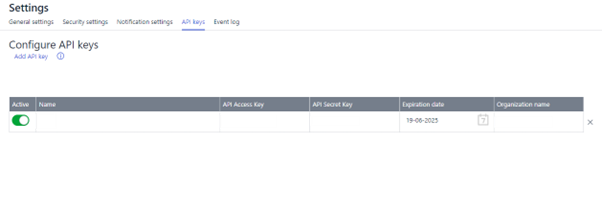
API Keys view moved
The API Keys view has been moved to organization settings page and is available as a tab at the top of the page.
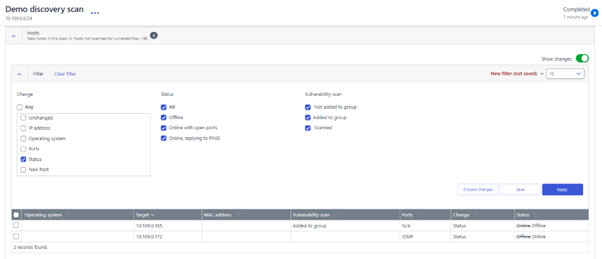
Discovery Scan details view updated
We have resolved an issue where Discovery Scan details view was not displaying hosts that had changed status from online to offline, when filtered by “status change”. It’s necessary to restart the scan.
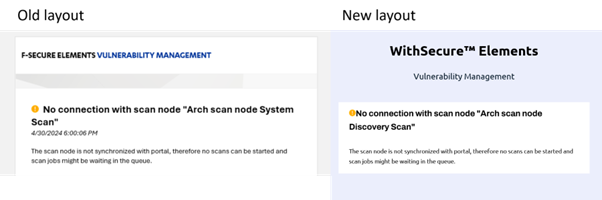
Scan node immediate notifications layout has been updated
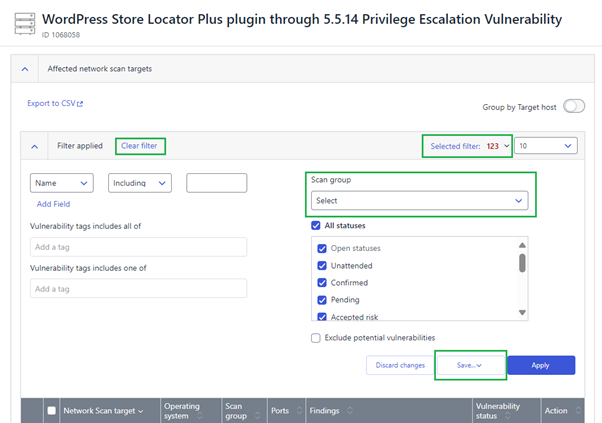
Resolved multiple issues in Vulnerability details view
In ‘Affected network scan targets’ section filtering by scan groups has been fixed, as well as saving, updating, restoring and clearing the filter.
Elements Foundations
Elements Security Center
Partner logo on Elements Security Center
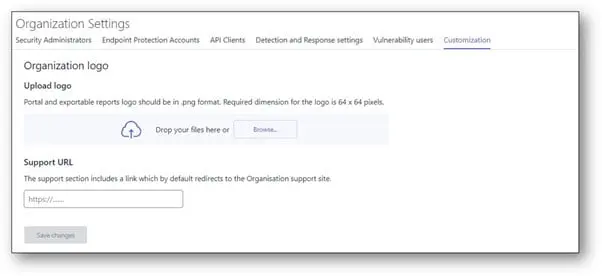
Partners may want to display their logo on Elements Security Center when used by their resellers or customers. We had solution to show partner logos in EPP and Vulnerability Management portals. As we unify our offers in Element Security Center, we need the partner logo available for the full Elements Security Center.
A new “customization” tab under Organization settings from where a partner (SOP level) can insert a logo and a support url. The logo will be displayed in the bottom left corner of Element Security Center and visible in all pages. It will replace any logo that might have been configured in old EPP or Vulnerability Management solution.
If the url is configured, it will replace WithSecure support url in the support tab (behind “go to the website” link).
Multi Factor Authentication is now mandatory in Elements
As of August 1st 2024, Multi-Factor Authentication (MFA) is mandatory for all Elements users. Users who have not set up an MFA method will be required to do so upon their next login.
In case you missed it
End of support for old installers
As a reminder, starting from 1st August 2024 we have stopped supporting installation using very old product installers. Customers should ensure that they are using the latest installers.
The installers used MUST now be AT LEAST
- Windows version 24.3.300
- Mac version 24.1.52031
- Linux version 12.0.482
You can read more information about this at the WithSecure Community article
Share your ideas with us
Our purpose is to co-secure the world with you – now as WithSecure™. To co-create the best possible cyber security products and services, we warmly recommend you share your ideas via our Ideas Portal, now accessible directly from WithSecure™ Elements Security Center.
Further information
Changelogs and Release Notes for all parts of WithSecure™ Elements can be found at the Help Center