
-
Exposure Management (including XM for Business and XM Frontline Add-on) – 2025-11-19 Update
Read more
XM newsletter Week 47
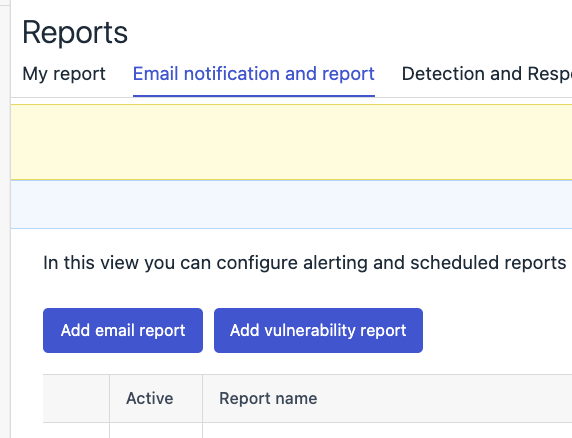
Vulnerability reports now have a new home
- Vulnerability reports view are now available also under common Elements Reports -> Email Notifications and report
- Reports > Vulnerability reports will run side by side until it’s totally deprecated in favor of its new home
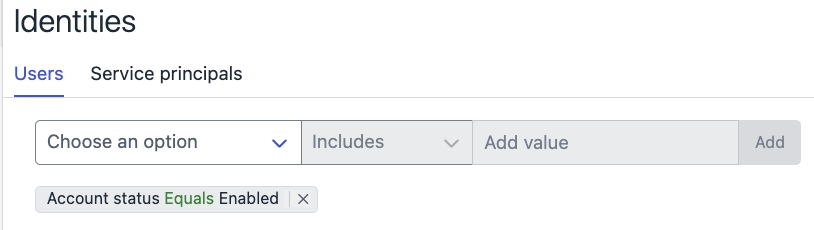
Identities page shows only active Identities by default
- Identities page have now new default filter to show only identities with enabled account status for both Users and Service principals. To see all the identities, filter can be removed.
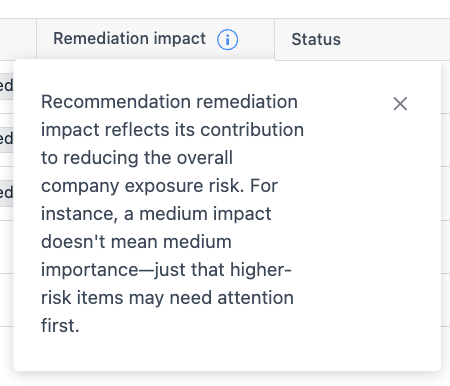
Scoring clarifications:
- To clarify how XM scoring works, info bubbles have been added to all relevant risk and impact columns in the Findings and Asset widgets, lists, as well as in recommendation and Findings details pages
-
Exposure Management (including XM for Business and XM Frontline Add-on) – 2025-11-04 Update
Read more
XM newsletter Week 45
We are happy to share new improvements.
Finding definitions tab added under Environment -> Exposure
- The Finding Definitions page now lists all potential finding types that Exposure Management can detect—across vulnerabilities, identities, cloud assets, and external attack surfaces. Unlike the Findings tab, this view includes definitions even if no asset is currently affected. It supports pagination, saved filters, and navigation to related data, consistent with other XM views.

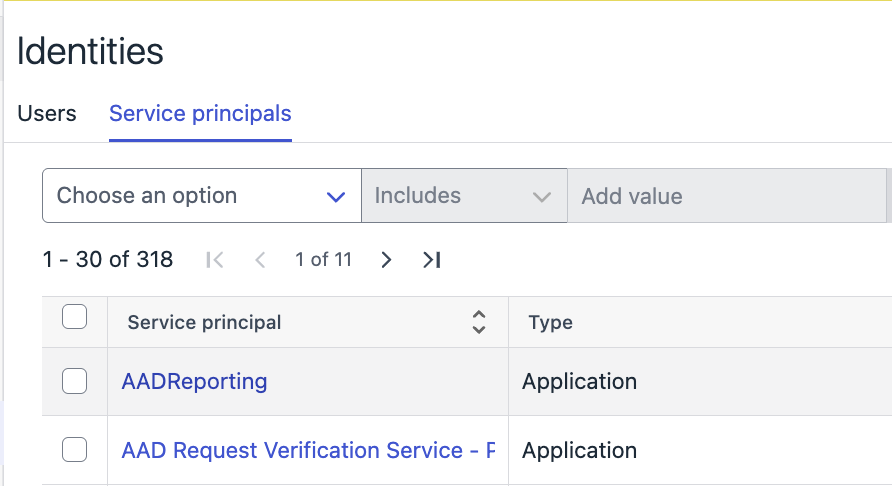
Service principal tab add under Environment -> Identities
- The identities list now includes Entra service principals alongside users, providing basic information for each service principal. It supports pagination, saved filters, and navigation to related data, consistent with other XM views.
-
Exposure Management (including XM for Business and XM Frontline Add-on) – 2025-10-22 Update
Read more
XM newsletter week 43
Recommendation list page (Exposure -> Recommendations)
- Recommendation list “Generate on” column is now showing the time of when the recommendation was given in the context of organization.
- Please note that historical recommendations may show very recent timestamp due to the fact that this info is only available since very recently.
Saved views on Findings, Recommendations and Identities pages
- Preserving the state of ordering is now supported by saved views.
Unified Cloud Microsoft tenant configuration
- new connection management for Identity Inventory released
Identity details – Risk assessment tab
- There is now new possibility to filter Identity breaches by severity
- Recommendation list “Generate on” column is now showing the time of when the recommendation was given in the context of organization.
-
Exposure Management (including XM for Business and XM Frontline Add-on) – 2025-09-19 Update
Read more
XM newsletter week 38
- Exposure executive summary report is now available in My Reports
- Summary report can be found in Elements portal under Reports → My Reports and by selecting from templates list
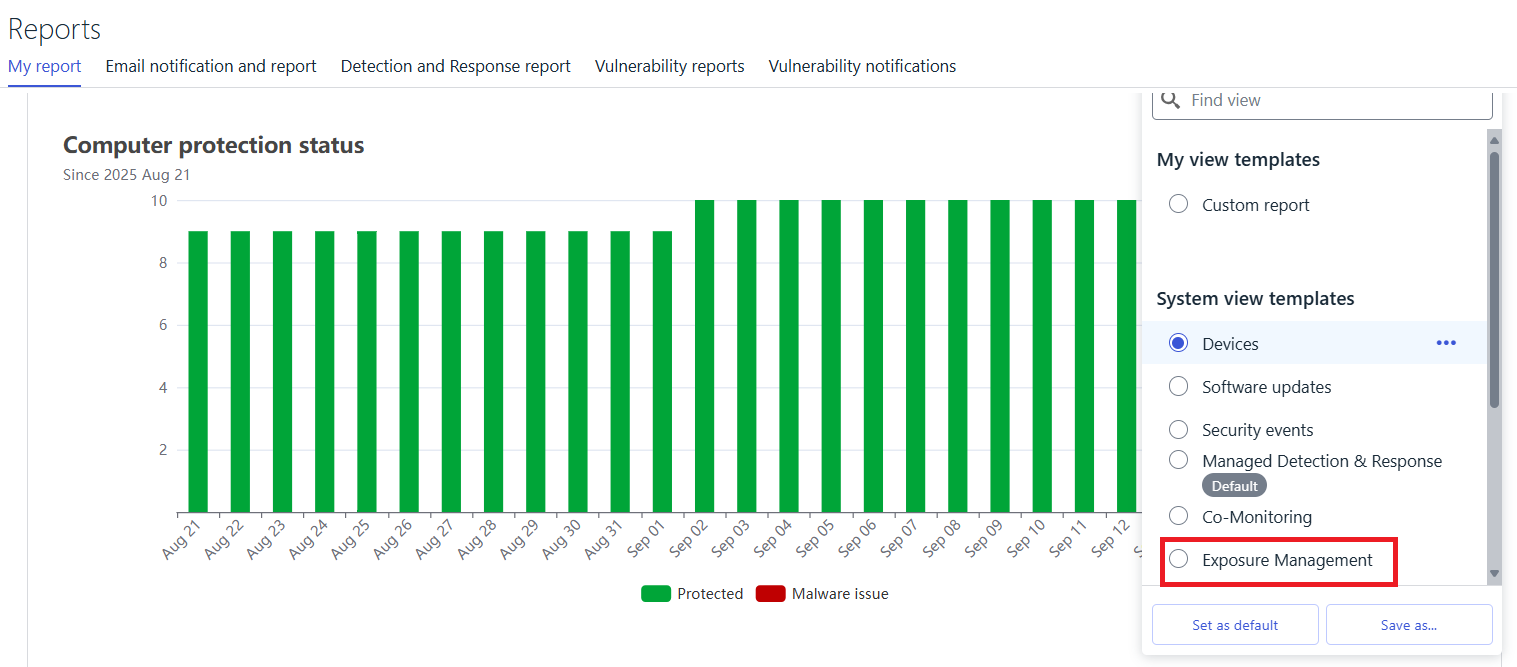
- Summary report can be scheduled for being emailed like any other My Report templates via “Emails notifications and reports” tab under Reports menu
- Summary report can be found in Elements portal under Reports → My Reports and by selecting from templates list
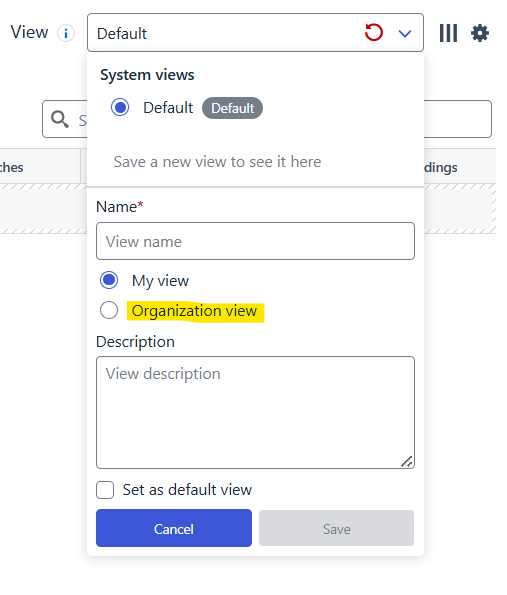
- Exposure management savable views (on various lists such as Recommendations, Findings, Identities) can now be shared and accessed on organization level.
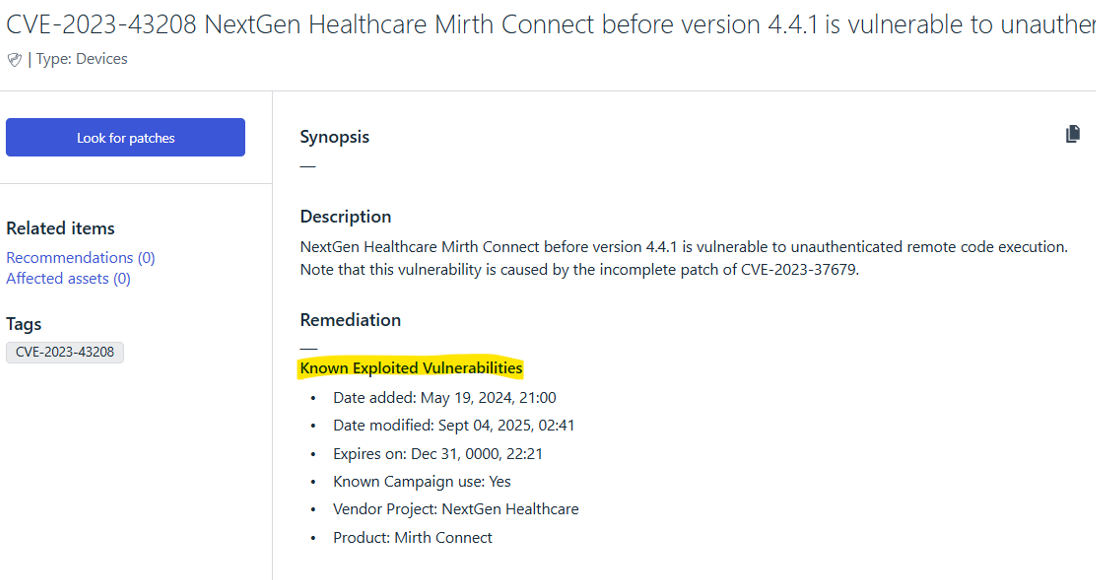
- Threat intel CISA KEV information of CVEs are now visible on the UI if the CVE is known for having a public campaign
- Exposure executive summary report is now available in My Reports
-
Exposure Management (including XM for Business and XM Frontline Add-on) – 2025-09-02 Update
Read more
XM newsletter week 36
- We’ve enhanced Luminen, our LLM-powered helper, to deliver clearer and more relevant descriptions for recommendations by taking into account organization-specific findings. All of this is done in a privacy-protected manner, ensuring that your data remains secure while making recommendations easier to understand and act upon. There is a possibility to switch from generic recommendations to organization specific and back.

- We’ve enhanced the Findings details page with AI-generated CVE descriptions for vulnerabilities that appear in XM Recommendations. This update provides clearer, more contextual insights into CVEs, helping security teams better understand the nature and impact of vulnerabilities without needing to cross-reference external sources.
- We have enhanced following identity features
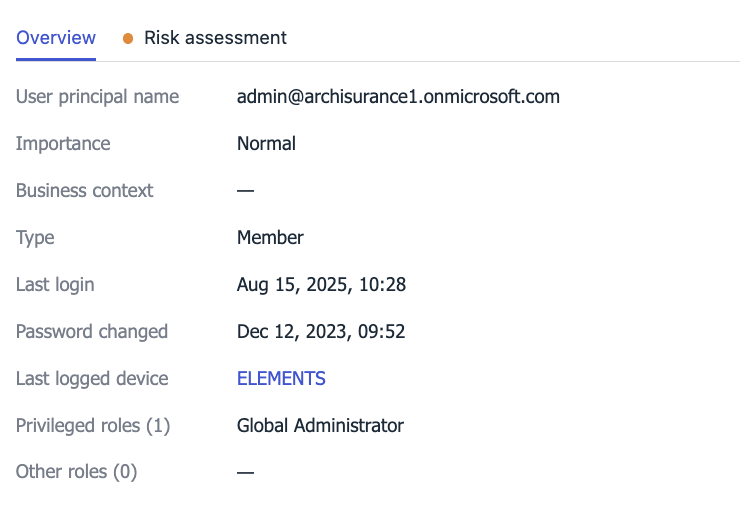
- Identity information has been enriched with Entra ID role information (visible in the Identity details flyout). Information is provided separately for privileged and non-privileged roles.
- New column “Last login device” is now available in the Identities table showing the information to which device Identity has logged in. In case customer has EPP license, there is also a link to the given device. Information about time of the login is available in the Identity’s details flyout.
-
Exposure Management (including XM for Business and XM Frontline Add-on) – 2025-08-22 Update
Read more
XM newsletter week 34
We identified a disruptions in delivery of XM recommendations as Security Events (visible in Elements portal under Events → Security Events). This issue is fixed now.
-
Exposure Management (including XM for Business and XM Frontline Add-on) – 2025-08-07 Update
Read more
XM newsletter week 32
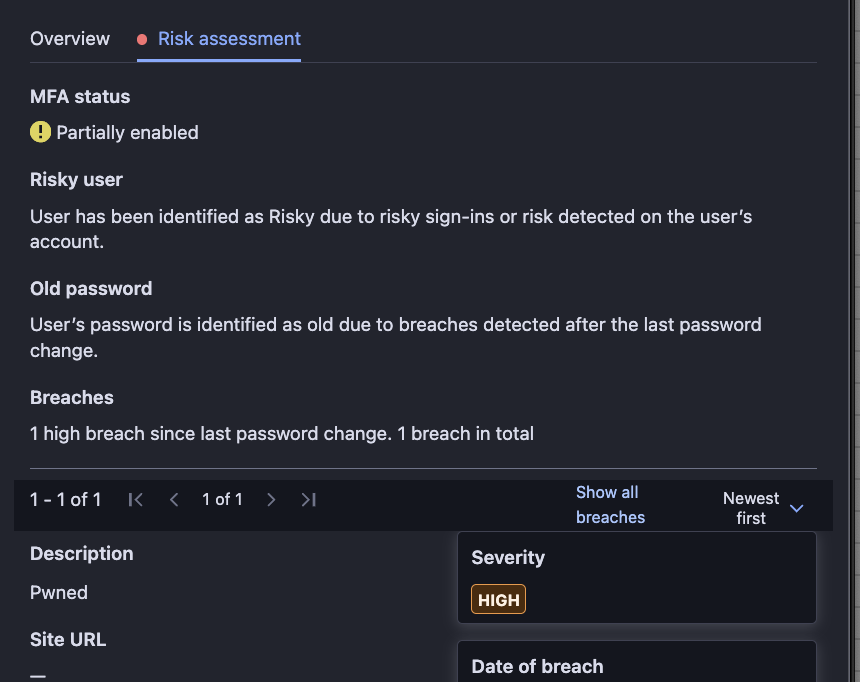
Identity risk assessment
- Identity risks assessment tab has been enriched with data impacting the calculation of Identity’s risk factor.
-
Exposure Management (including XM for Business and XM Frontline Add-on) – 2025-07-23 Update
Read more
XM newsletter week 30
Improved workflow from recommendation details to related findings and assets
- Recommendations details page introduces a tabbed widget for Findings and Assets related to a recommendation
- Findings tab of the widget grouping the findings by finding type to avoid cluttered view by repeating finding instances on different assets.
- Findings table rows (having finding definitions now) can be expanded to visit the affected assets. e.g for CVE vulnerabilities there is now only a single row by expanding which, affected assets by that single CVE can be viewed.
- Findings widget shows first few findings only, to see them all in a fly out, “Show All” link on the top of the table has to be clicked on
- Simulated attack path visualization “preview” added to the recommendations detail page as a new widget
- Attack path preview widget with a best effort approach highlights the critical asset in the attack path
New EASM recommendations added for misconfigurations within web applications
- Requires setting up a vulnerability web scan against the target that runes the web application. Please refer to this document for how to set up a web scan.
-
Exposure Management (including XM for Business and XM Frontline Add-on) – 2025-07-08 Update
Read more
XM newsletter week 28
Simulated Attack Path Visualization
- Minor design improvements
- Terminology change – Attack path step “Simplicity” is now called “Complexity”.
-
Exposure Management (including XM for Business and XM Frontline Add-on) – 2025-07-01 Update
Read more
XM newsletter week 27
- Correction to some of the links navigating to Asset or Findings page using filter where filter was not applied when navigating.
- Identity’s MFA status
- New MFA status (Inconclusive) has been introduced for the cases where MFA status can’t be sufficiently determined at the moment due to the complexity of the used Conditional Access Policies.
- Recommendations list view: status indicators added as colored bullets to the Status column:
- Red bullet: Indicating that the recommendation is new and requires attention
- Yellow bullet: Indicating that a recommendation that has has been closed during the past 30 days, has been re-opened, mainly due to new findings and requires attention
- Green bullet: Indicating that the recommendation has been resolved. mainly due to findings being mitigated and recommendation severity has dropped to “Inconclusive”. In this case, the recommendation also gets closed automatically.
- Summary report:
- Recommendation Fixed chart shows the break down of fixed recommendation by actor. Actor can be either User (closing a recommendation manually) or Automation (explained the logic above on the Green bullet status above)