
-
Exposure Management (including XM for Business and XM Frontline Add-on) – 2025-06-11 Update
Read more
XM newsletter week 24
- Findings list Tags column values can be copied to clipboard by clicking on a value, making it easier for creating multi-value filters such as filtering by Tag column
- State of the views can be saved as a “saved views” on XM UI, Findings, Recommendations and Identity
- Currently only filters and column selection can be saved
- State of the ordering (sorting on a column) can not be saved yet. (upcoming feature)
- Sharing a view to other users on organization level is not supported yet. (upcoming feature)
- Attack Path Simulator visual enhancements
- Link from attack path step to the respective recommendation added
- Improvements to c-level a.k.a executive summary report
- Recommendations fixed, shows the actual number of recommendations being moved to Closed state per week (Done, False-Positive). Bar chart title adjusted accordingly
- In case selected date period has start and end date falling in the middle of a year week, report adjusts the date selection to include the complete week stats from the begin and ending of the range.
- Color theme of the report adjusted
- Exposure widget-based reports available in My Reports
- Access via Reports menu -> My report (tab) -> from view template drop down select “Exposure Management”
- Report can be customized via widgets and saved as a template
- Tabular data widgets supported
- Bar charts and line charts from executive summary are supported
- Widget-based reports can (not) yet be exported or scheduled. (upcoming feature)
- Exposure recommendations available in Security Events
- Access via Events menu -> Security Events (submenu) -> from “View” drop down select “XM recommendations” (available only for those having WithSecure Endpoint Protection)
- A change in a recommendation status will result in an event in Security Events
- Security Events can be configured to be sent as email to external systems
- Security Events can be exported to JSON
- New “Last seen” column in the Identities page
- New column has been added to the Identities table to indicate when Identity’s Entra ID data has been refreshed last time. Column is hidden from the default view, and can be added to the view.
- Identity breach findings
- Finding description texts have been updated to include breach severity info.
-
Exposure Management (including XM for Business and XM Frontline Add-on) – 2025-05-14 Update
Read more
XM newsletter week 20
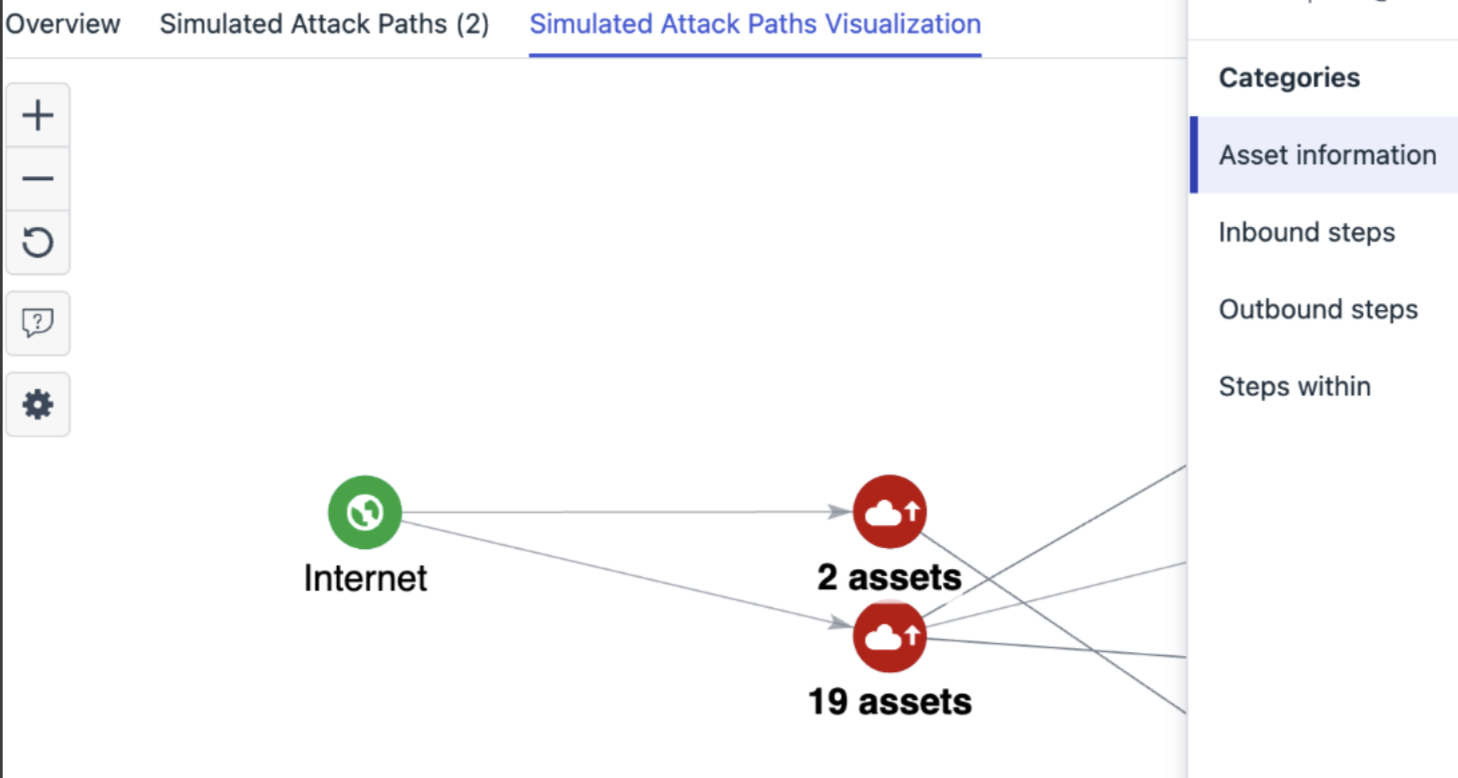
Attack path visualization
- Added a link to primary finding in step details
- Grouping of similar assets to tidy up the view
Exposure views filtering
- Exposure views now support filtering by multiple values, e.g filters like “FindingSource Includes Identity, Network” are possible
- Exposure multi-value filters can be repeated with different operations to support logics such as “Tags Include NIST KISA” “Tags Does not include HIPPA”
“MFA status” column in the Identities page
- New tooltip has been added to clarify the meaning of different MFA statuses Identity can have
- An adjustment to the MFA status logic has been made, when checking Entra ID Conditional Access policies. This might result in some of the Identities statuses changing from ‘Partially enabled’ to ‘Enabled’.
New “Account status” column in the Identities page
- New column has been added to the Identities table to indicate if the Identity’s account is enabled or disabled. Column is hidden from the default view, and can be added to the view. New filter has been also added, enabling filtering by account status.