-
Agent for Mac – 2026-05-05 Update
Read more
WithSecure Elements Agent macOS 26.2 has been released to general availability (GA) on 5th of May 2026.
This release brings
- Updated sensor component
- Updates to the Software updater component
- Bug fixes to client side support of software inventory feature (available later in 2026)
Installer can be downloaded from
https://download.withsecure.com/PSB/latest/ElementsAgentInstaller.mpkg
Elements Agent macOS 26.2 supports following macOS versions:
- macOS 26 Tahoe
- macOS 15 Sequoia
- macOS 14 Sonoma
-
Linux Agent LS64 – 2026-05-04 Update
Read more
New early access update for Linux Security 64 has been released (2026-05-04)
New early access update for Linux Security 64 (version 26.1.512) has been released. Early access updates are an opt-in mechanism for experiencing new Linux Security 64 versions before they get distributed to all users. This update includes the following changes:
- Fixed an issue where activating the agent with automatic updates disabled could cause activation to time out or result in missing components.
- Installation-time connectivity check timeouts no longer cause the installation to abort; the installer will now attempt to continue and complete.
- Fixed classification of Oracle Linux 7 for installation and updates.
- Added a check during activation to verify that existing installation directories have correct permissions and do not contain symbolic links.
- Adopted a new version numbering scheme in the format YY.SEQUENCE.BUILD (e.g. 26.1.512).
- Added support for installing on Ubuntu 26.04.
-
Agent for Mac – 2026-04-23 Update
Read more
WithSecure Elements Agent macOS 26.2.55744 has been released to our early access customers on 23rd of April 2026. As usual, full availability will start 1-2 weeks later.
This release brings- Updated sensor component
- Updates to the Software updater component
- Bug fixes to client side support of software inventory feature (available later in 2026)
Installer can be downloaded from
https://download.withsecure.com/PSB/latest/ElementsAgentInstaller_55744.mpkg
Elements Agent macOS 26.2.55744 supports following macOS versions:
- macOS 26 Tahoe
- macOS 15 Sequoia
- macOS 14 Sonoma
-
Agent for Mobile – 2026-04-15 Update
Read more
An update to the WithSecure Elements Mobile Protection app for Android (26.3.0023571) has been completed 15 Apr. 2026. It will be released as a phased rollout over the next seven days.
Fixed issues:
- The Antivirus system scan no longer shows an incorrect “Incomplete” status
- The app now allows changing the state for recently created domains in the app UI
- The app no longer fails to apply App exceptions configured via the portal profile
-
Endpoint Security (formerly Endpoint Detection & Response) – 2026-04-10 Update
Read more
Dear community,
Following up on our recent update about the Detection and Response Reports view being moved to read-only mode, we want to share an important next step.
What is changing next?
On 20 April, all existing schedulers in the Detection and Response Reports view will be deactivated.
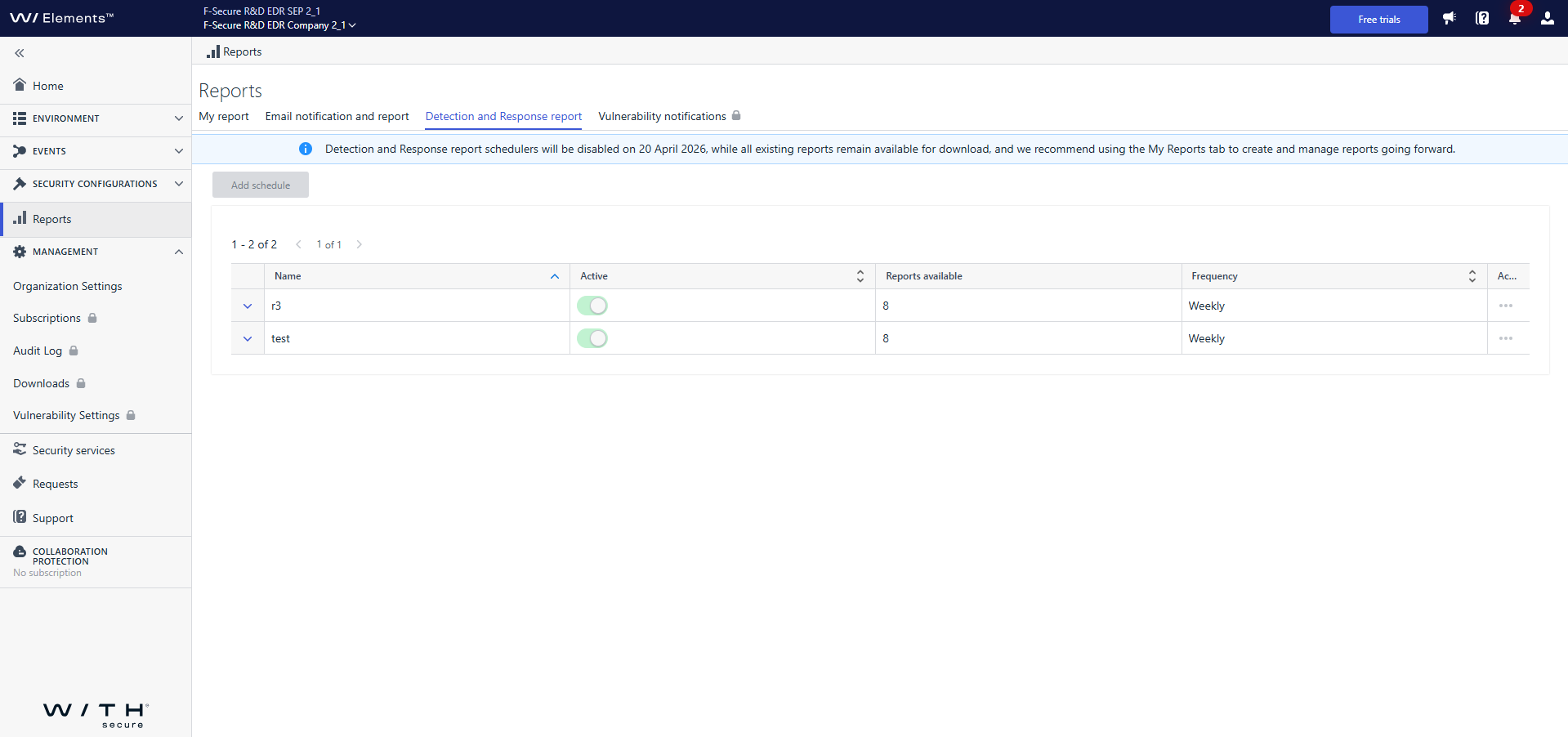
After that date:
- Reports will no longer be generated in this view.
- Previously generated reports will still be available for download in the Detection and Response Reports tab.
The Detection and Response Reports tab itself will be removed entirely soon.
What should you do now?
We encourage you to start using the My Report tab and set up your report there as soon as possible. My Report provides all the same reporting capabilities as the previous view – and even more. It offers an improved and more intuitive experience, with ongoing enhancements and new features planned.
Moving to My Report now will ensure you have uninterrupted access to your reports and benefit from the latest updates.
Thank you for adapting early and helping us move forward with a more unified reporting experience.
-
Agent for Windows and Server – 2026-04-07 Update
Read more
A new version of the endpoint clients is available and our Early access program participants will start seeing it starting on 07.04.2026. Full availability will begin within the next week and takes some days to reach all customers.
This release makes the Elements Agent version 26.2 available (internal version 26.2.301).
The endpoints automatically upgrade, without a reboot.
This release introduces new features (with Profile Editor Update).
Features:
- Browser Extensions Tab in Settings:
A new “Browser Extensions” tab has been added to the Settings dialog. This tab shows the status of the Browsing Protection extension for each installed browser and provides options to open the browser’s extension store or copy the installation link.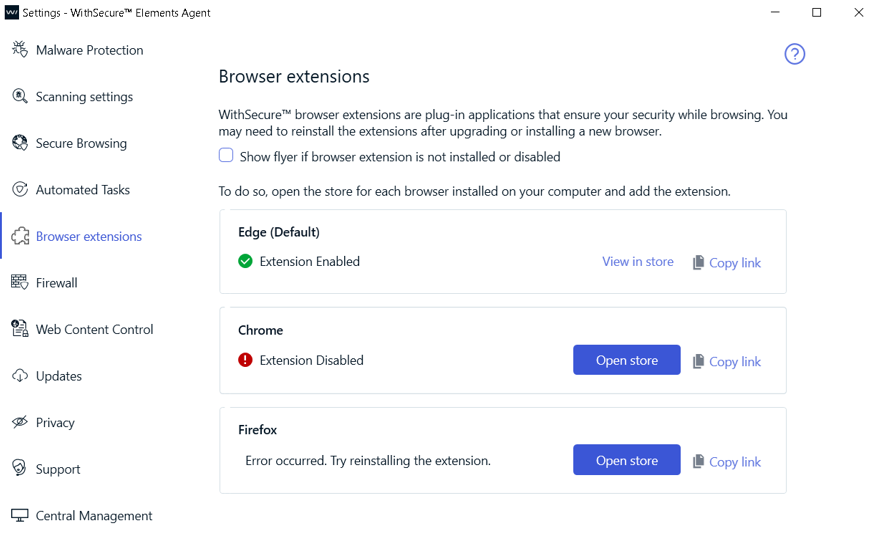
- New Network Isolation Security Events:
Two new security events have been introduced to enhance visibility into network isolation actions.
“Computer has been isolated from the network”
“Computer has been released from the network isolation”
- Remote Operation to Reset Security Cloud Cache:
Added a new remote operation to reset the Security Cloud cache.
- Enhanced Malware Protection Status Reporting:
Improved the reporting of malware protection unload status during service startup.
- Browser Extensions Tab in Settings:
-
Endpoint Security Portal (formerly Endpoint Protection Portal) – 2026-04-03 Update
Read more
Dear community,
Following are the few improvements we have done in Endpoint Security Portal:
Improved user-facing message on attempt to delete view template that is used for updatable email reports.
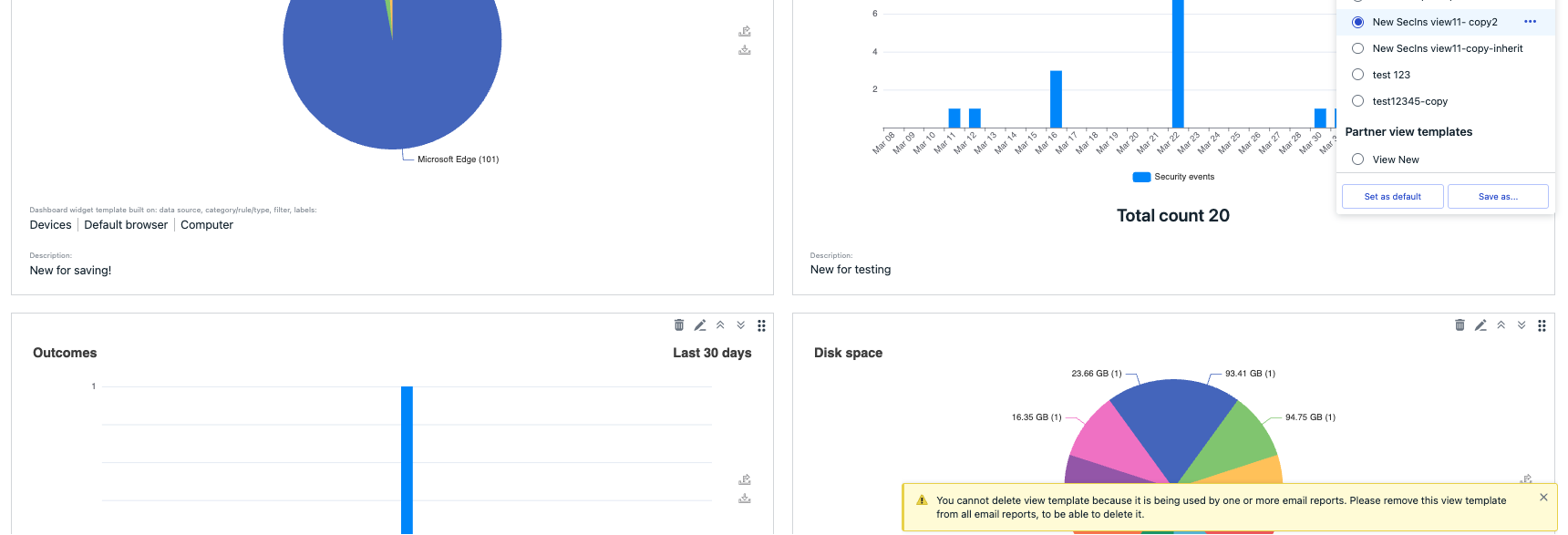
To prevent timeouts for large partners, the Manage Operations screen now shows only the most recent 1,000 operations. If a partner has fewer than 1,000 operations, all are displayed and no flyout appears.


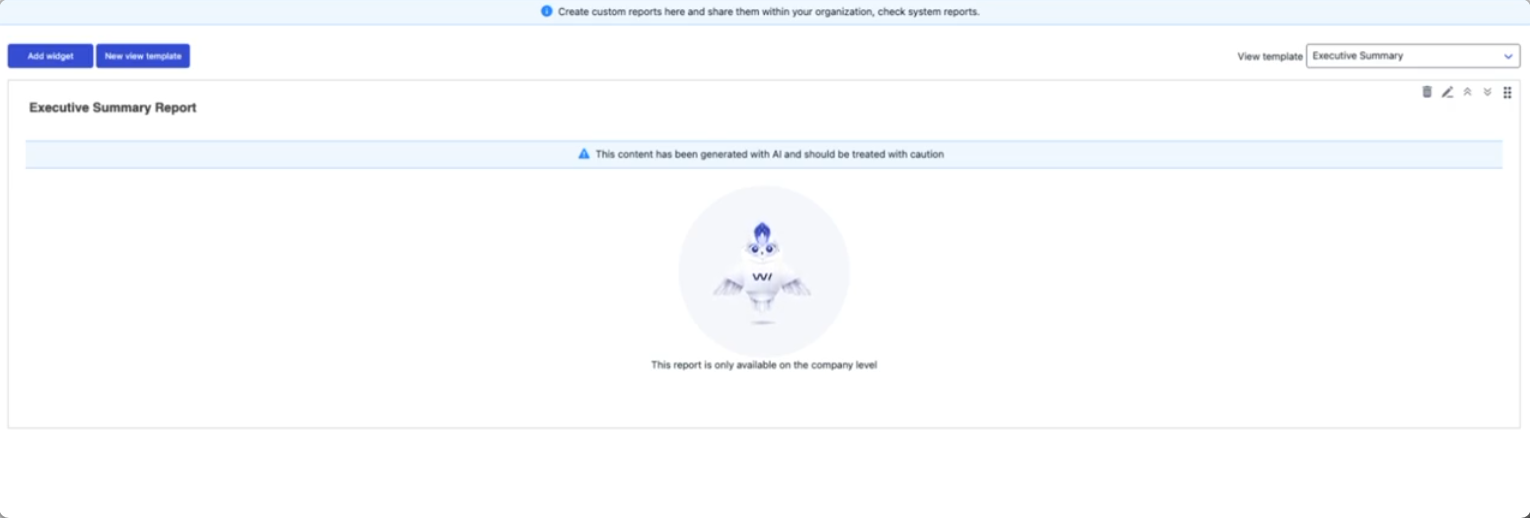
Added luminen animation to the reports.
-
Endpoint Security (formerly Endpoint Detection & Response) – 2026-03-30 Update
Read more
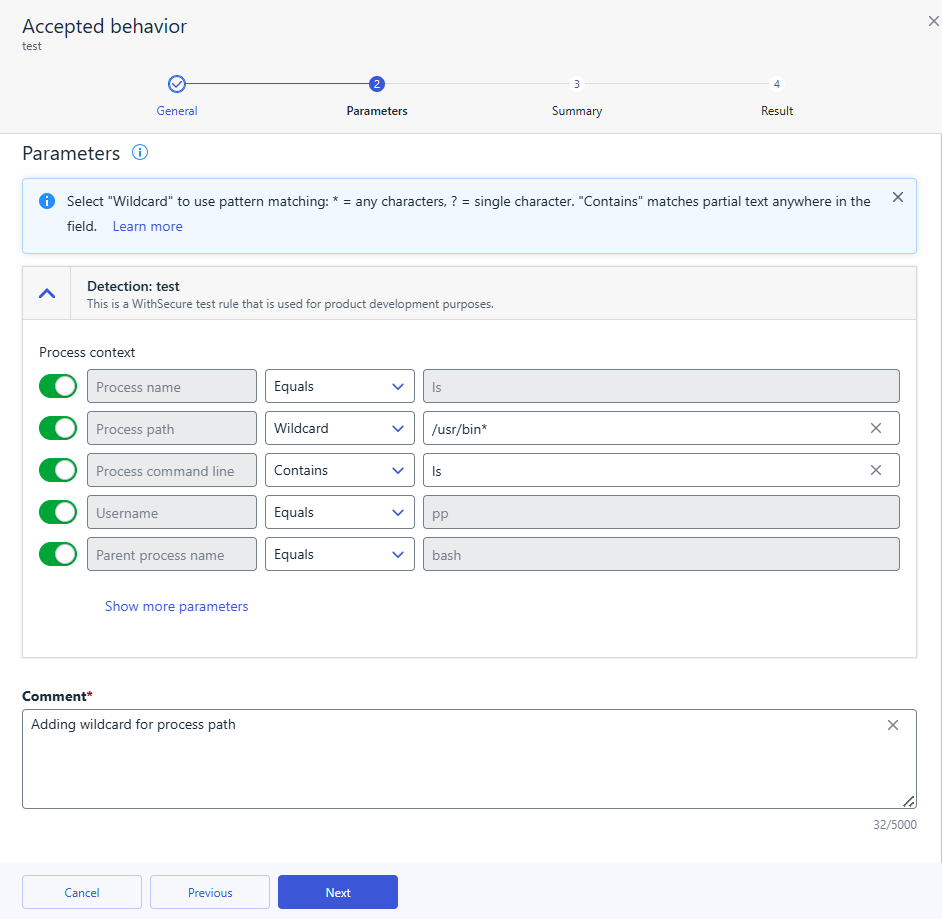
To help you create more flexible and maintainable suppression rules, wildcards are available for Accepted Behavior suppression rule parameters. Wildcards allow you to match patterns instead of exact values, making it easier to suppress recurring or similar events without creating multiple rules.
What are wildcards?
Wildcards let you define suppression rules using partial matches rather than exact strings. This is especially useful when values vary slightly, such as file names, paths, or user names.
The following wildcard characters are supported:
*– matches any sequence of characters (including empty)
Example:*.exematchesfile.exe,test.exe,.exe?– matches any single character
Example:file?.txtmatchesfile1.txt,fileA.txt
To treat wildcard characters as literal values, use the backslash (
\) as an escape character:\*– matches a literal asterisk
Example:test\*.txtmatchestest*.txt\?– matches a literal question mark
Example:test\?.txtmatchestest?.txt
Supported parameters
Wildcards are supported in suppression rules for Accepted Behavior when matching the following parameters:
- Process name
- Process path
- Process command line
- Username
- Parent process name
- Parent process path
How to use wildcards
You can create or edit wildcard-based suppression rules in two ways:
- From Events → Broad Context Detections, when closing a detection as Accepted behavior and choosing to create a suppression rule.
- From Security Configurations → Automated actions → Suppression rules, by editing an existing rule.
In both flows, select Wildcard for the chosen parameter in the Parameters step, then define the pattern using
*,?, or escaped characters as needed.Using wildcards helps reduce rule duplication, keeps configurations cleaner, and makes suppression rules easier to maintain over time
-
Agent for Mobile – 2026-03-26 Update
Read more
An update to the WithSecure Elements Mobile Protection app for iOS (26.3.12185) has been completed 26 March 2026. It will be released as a phased rollout over the next seven days.
Fixed issues:
- Critical bug fix for early logout during activation or after subscription is updated
- Stability improvements
- Shortcuts compatibility is supported: gives ability to enable / disable Mobile Protection while other application is on screen
-
Endpoint Security Portal (formerly Endpoint Protection Portal) – 2026-03-25 Update
Read more
Dear community,
Following are the new features:
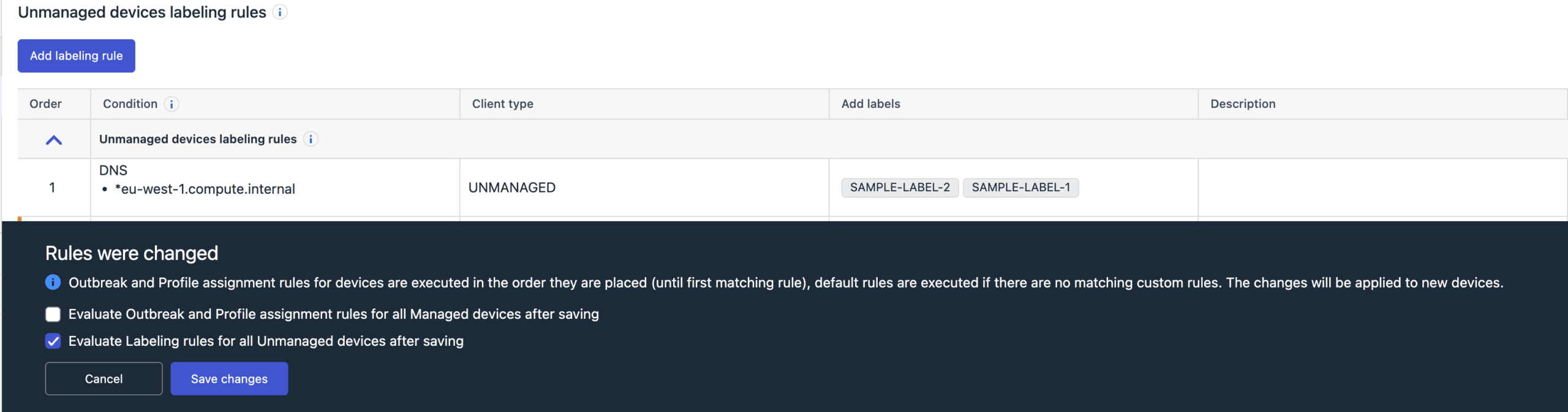
Automatic labeling for unmanaged devices
The admins can now configure labelling rules for unmanaged devices, under Security configurations->Profiles->Profile assignment rules-> Unmanaged labelling rules
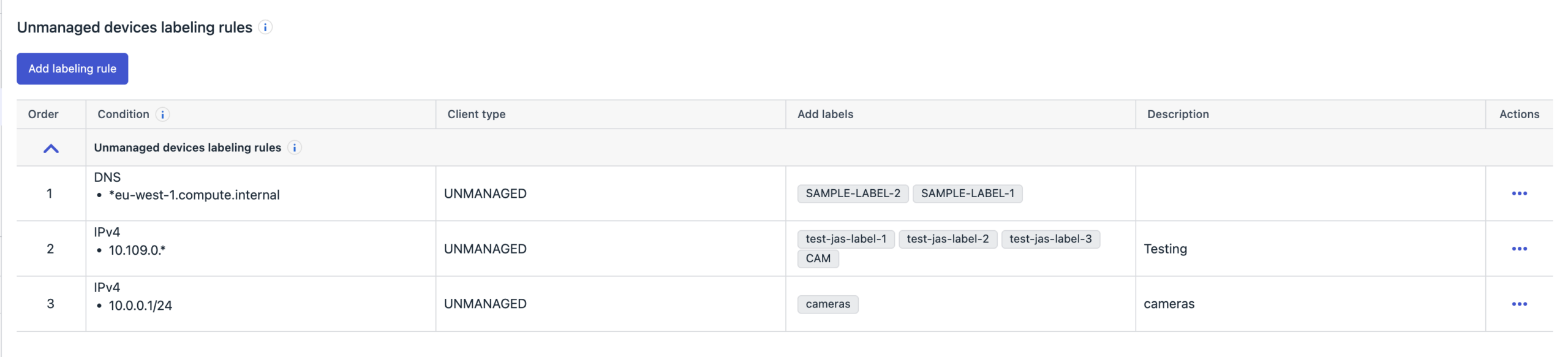
Once this is configured, any new unmanaged devices that satisfy the rules will have the labels assigned to it automatically.
The admins can view the labels assigned in the Environment->Devices->Unmanaged devices viewThe admins can also choose to immediately apply the labelling rules to all existing unmanaged devices, by choosing the option “Evaluate Labeling rules for all Unmanaged devices after saving“, when saving the rules