
-
What’s New in Elements: February 2022
Read more
To keep your business safe and to simplify your life, we are continuously elevating WithSecure Elements platform. In February we enhanced reporting capabilities to give you more clarity and keep your data even more easily accessible.
New features
Your reporting just upgraded with new Audit Logs
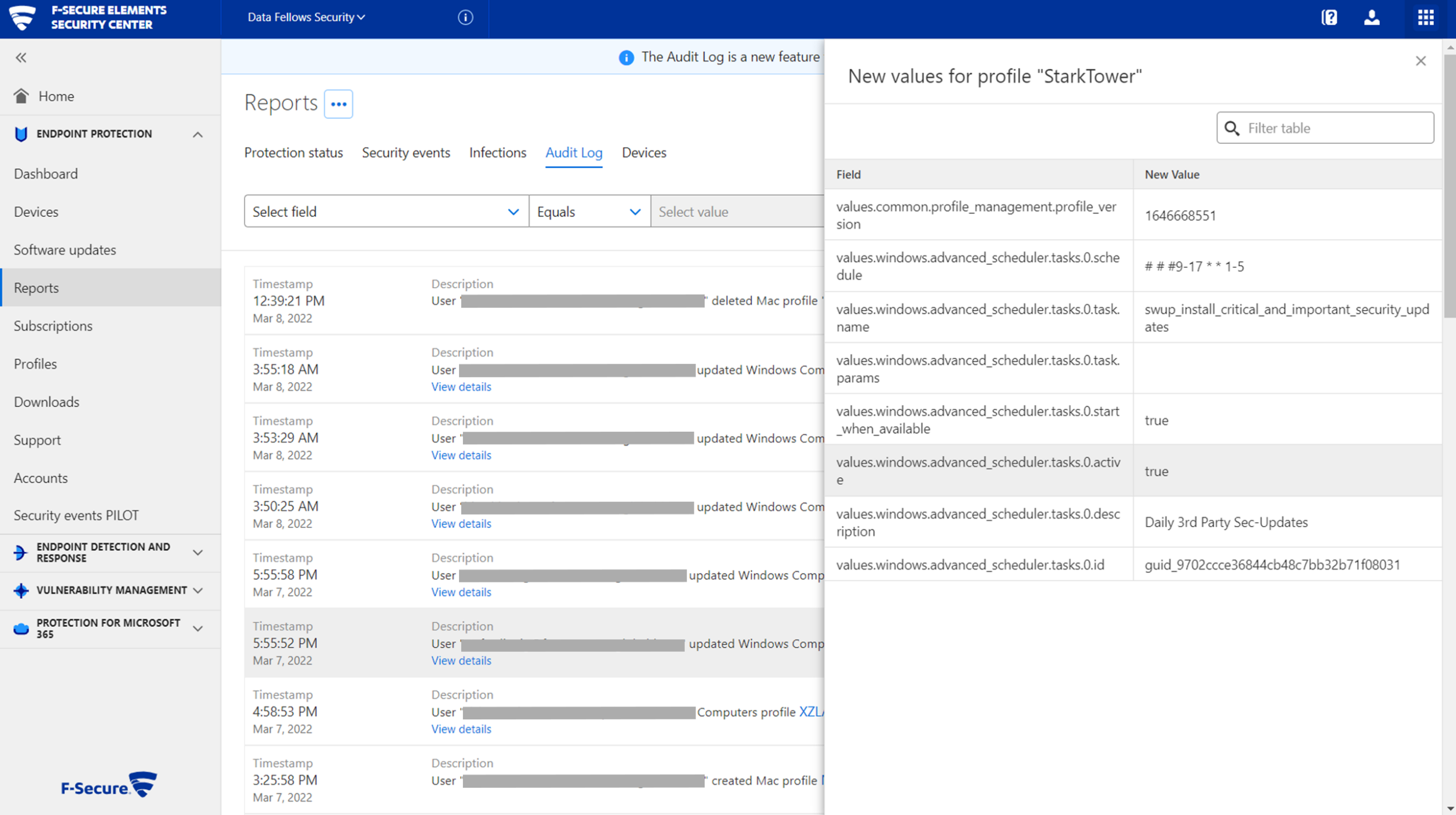
You can now find Audit Logs in Endpoint Protection reporting, where you’ll get clarity on all the profile changes made in Endpoint Protection.
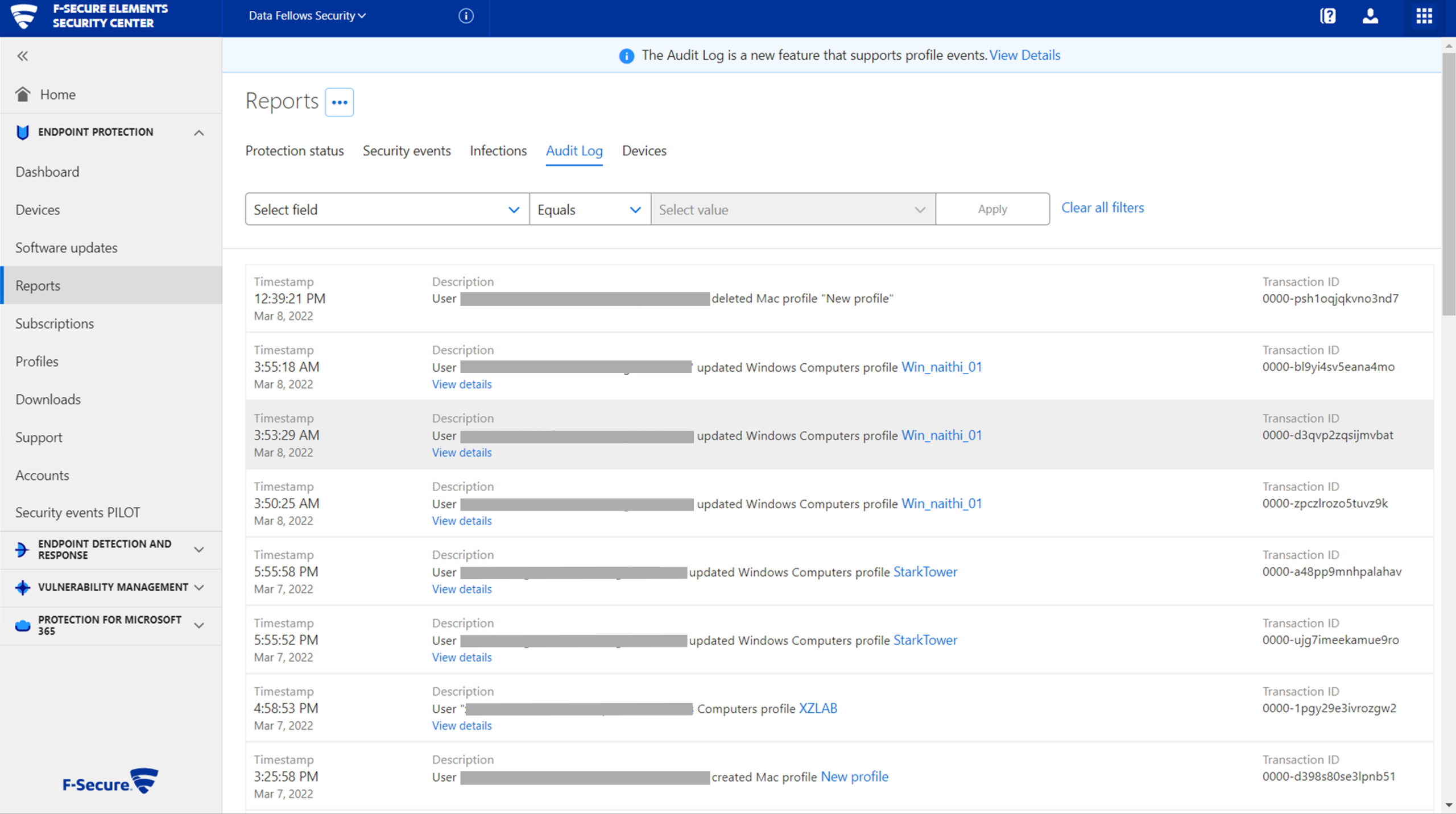
From the get-go, you will find information about profile updates, creations, and deletions filtered by time.
Improvements we’ve made to simplify your life
You can now see public IP addresses of clients easily via Elements Security Center. This is particularly helpful if a device has been stolen. You can also leverage the information when creating new firewall rules remotely.
Coming soon
- You will find the clarity you were looking for with more ease in near future. We’ll be stepping up WithSecure Elements Endpoint Detection and Response’s filtering and customization capabilities to the next level.
- Hybrid work is here to stay, and so is cloud collaboration. We are working hard to provide even more protection for your Microsoft 365 cloud applications. Stay tuned.
- Annoyed with anything even remotely related to API keys? You’ll soon be able to manage them directly via Elements Security Center.
In case you missed it
Leave no endpoint behind with WithSecure Elements Mobile Protection
Heads up if you are still using F-Secure Freedome for Business or F-Secure Mobile Security. Both products are nearing end of their support lifecycles. Now is the time to replace these old defenders with WithSecure Elements Mobile Protection, our cloud-based mobile security module of WithSecure Elements platform.
For instructions how to get it going, please check out our dedicated migration guide.
Keep your business safe. Respond to the right threats at the right time – now in the right way
We recently introduced a versatile set of advanced response actions to WithSecure Elements Endpoint Detection and Response. Comprehensive toolkit of more than 20 response options gives you the means to investigate, contain and remediate threats. The right response at the right time cuts the time the attacker has doing damage in your environment and keeps you resilient.
Read the full article on Community or visit our blog to learn more.
Co-secure the world with us
Great cyber security is a team sport, and so is making WithSecure Elements an even better fit for you. As always, we value any improvement and feature requests.
-
Changes in internet domains for WithSecure™ Elements
Read more
UPDATE 2024-06-18: Updated to include api-global.elements.withsecure.com
UPDATE 2023-05-25: Article updated with rdr.elements.withsecure.com and login.withsecure.com
UPDATE 2023-01-11: Article updated to reflect that the changes have now happened, and a new secton on required internet domains that need to be allowed.
As you are probably aware, F-Secure Business has become WithSecure™.
For the first few months, we have maintained the WithSecure™ Elements system using the elements.f-secure.com domain, and redirects to the portal at elements.f-secure.com.
Now we are taking the next step towards moving all the services to the withsecure.com domain.
Web Portal Changes
From November 2nd 2022, we will change to be a dedicated address, no longer redirecting to the elements.f-secure.com hosted portal. This means that there will be two portals running side-by-side during the transition period, and this will allow us to monitor the service with the new domain name while keeping the existing service fully available. Users would be able to access elements via either portal, maintaining all functionality. The changes also include the URLs that are used as part of authentication, which are accessed during the login process.
Later in November, we will change elements.f-secure.com to redirect to the new , leaving only one physical portal accessible by both names for convenience.
Later still, we will retire the elements.f-secure.com address and all other portal URLs under f-secure.com, meaning all access will need to be made via the address.
Impact and user actions
We are advising our users to start using at the earliest opportunity. This will help us monitor the transition, and help us ensure that every part of the Elements system is working correctly after the changes.
Users should update any bookmarks they have towards Elements, to use the new address instead of the old one.
In addition, any saved passwords in a password manager should also be updated to use the new authentication address, accounts.withsecure.com. This will help the user to continue accessing the Elements portal after the changes are made. Please note that usernames and passwords are not affected by these changes, but most password managers will have linked these to authentication URLs.
In addition to these end-user changes, we advise organizations that filter or block web traffic to allow access to withsecure.com and any subdomains thereof, in addition to the existing f-secure.com addresses.
Additional information
There are no changes currently planned for the underlying APIs used by our products. These will continue as they are currently.
Please Note: If a logged-in user switches between the elements.f-secure.com and elements.withsecure.com addresses, they will need to log in again. This is because the login status is based on the domain logged into, and this is by design for security reasons.
Email Changes
In line with the web changes, we are also changing over the email send addresses for Elements related mails. These will now start to come from @withsecure.com email addresses. The changes are happening gradually, with some parts of Elements already using them, and we expect all Elements mails to come from @withsecure.com in the near future.
Impact and user actions
Users are advised to whitelist @withsecure.com in their email clients, to ensure that emails end up in the user’s mailboxes.
Organizations that filter emails at the mail-server are advised to also whitelist @withsecure.com for the same reason.
Required internet domains for access
If you have web access controls in place in your environment, please note that you will need to allow traffic to the following domain addresses:
- elements.withsecure.com
- login.withsecure.com
- api.elements.withsecure.com
- api-fusion.elements.withsecure.com
- proxy.elements.withsecure.com
- api-global.elements.withsecure.com
For Elements Endpoint Protection, you also need ONE of the following (dependent on your location)
- emea.epp.elements.withsecure.com
- emea2.epp.elements.withsecure.com
- emea3.epp.elements.withsecure.com
- amer.epp.elements.withsecure.com
- apac.epp.elements.withsecure.com
For Elements Endpoint Detection and Response you also need
- edr.elements.withsecure.com
- rdr.elements.withsecure.com
For Elements Vulnerability Management you also need
- portal.radar.elements.withsecure.com
For Elements Collaboration Protection you also need
- portal.cp.elements.withsecure.com